
Why structure the question
How it works
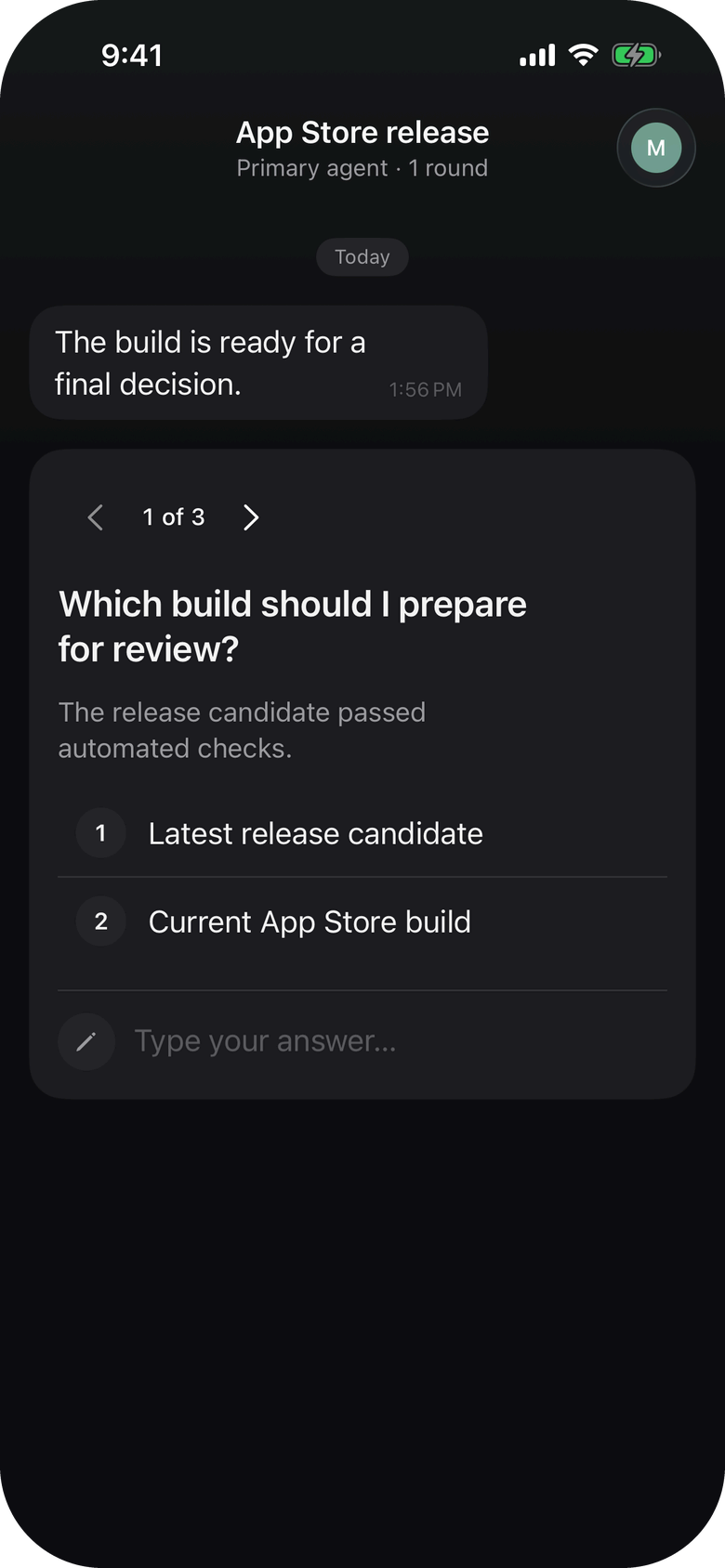
1. The agent calls ask_questions
It sends a list of questions, each with an answer type: single-select, multi-select or free text. For one question it can call ask_question instead.
2. Your iPhone gets one push notification
Open it and the whole batch is a single thread in your inbox. Each question shows its options or a text field.
3. You answer, the agent carries on
Answer every question and send. By default the agent waits on the call and resumes with your answers.
When to use it
Common questions
Up to 10 questions in a single push. The agent sends them with ask_questions and you answer them in one thread.
Three: single-select, multi-select and free text. Each question in a batch can use a different type.
Yes, by default. ask_questions blocks until you answer. An agent that cannot block can ask without waiting and check back later with check_answer or wait_for_answer.
Let your agent ask properly
Free on the App Store. Add one MCP entry and your agent can send structured questions.
Download for iPhone