iPhone · any MCP client · first answer wins
Download on the App StoreNotifex gives any MCP-capable agent a direct line to your phone. Get pinged when it finishes, answer its questions from the couch, and let it keep working — no Slack bots, no custom integrations.
iPhone · works with any MCP client · first answer wins

Notifex turns "the agent is stuck waiting for me" into a push notification you can answer in seconds.
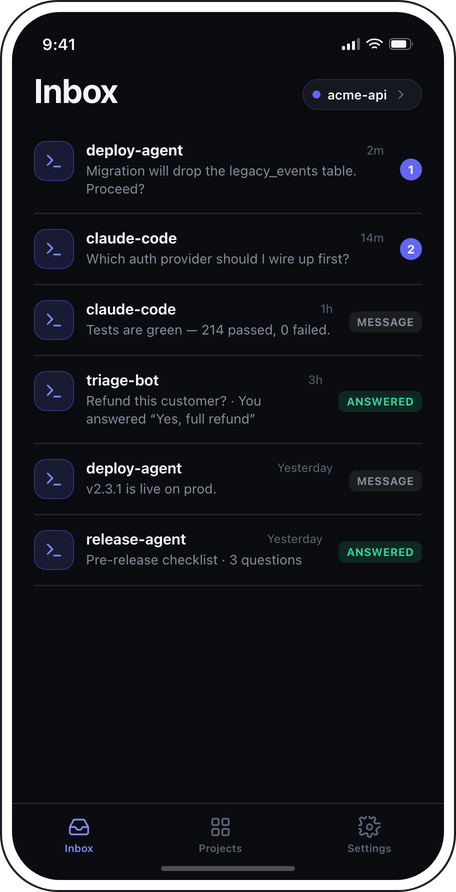
"Deploy finished." "Tests are green." "I need a decision." Your agent sends a push the moment something needs your eyes — you stop babysitting terminals.
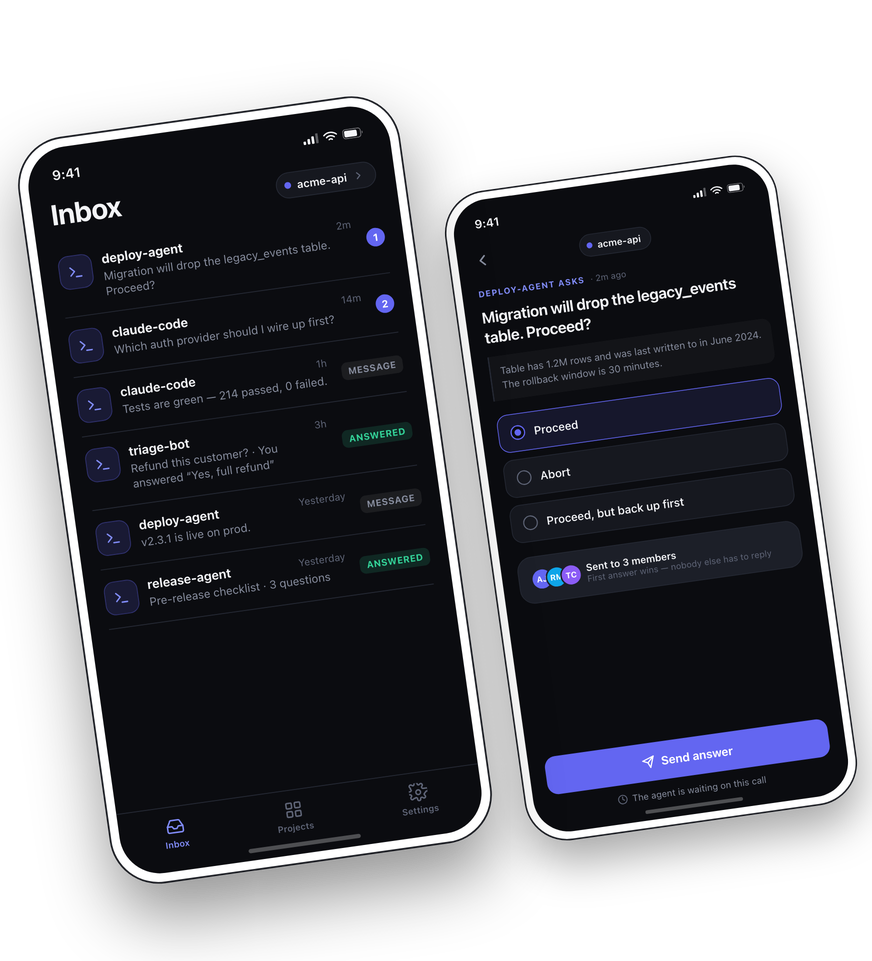
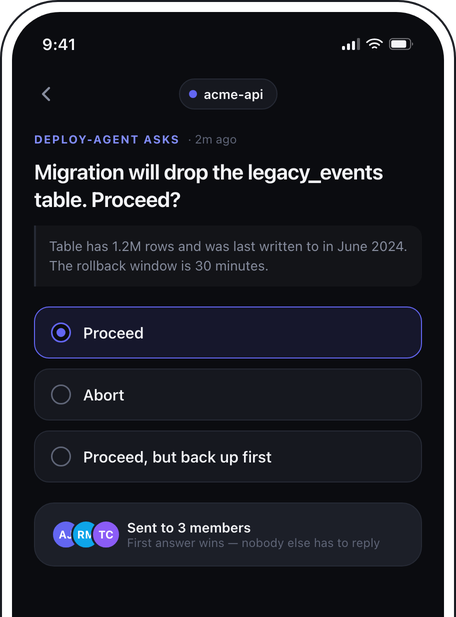
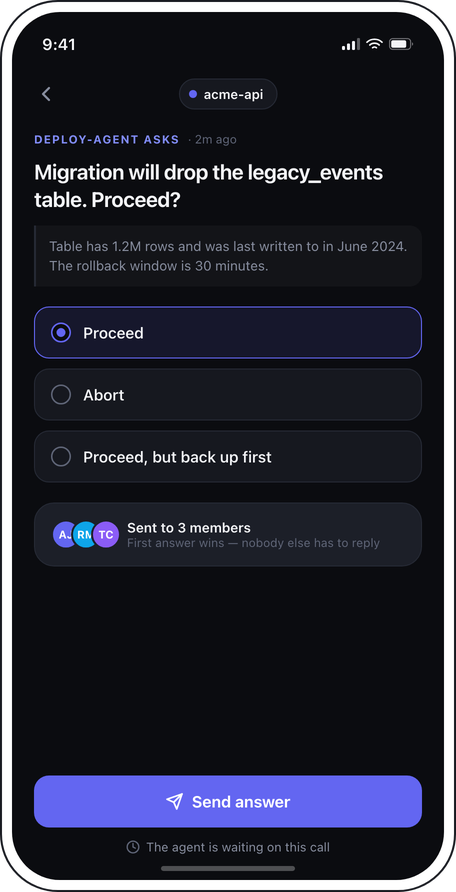
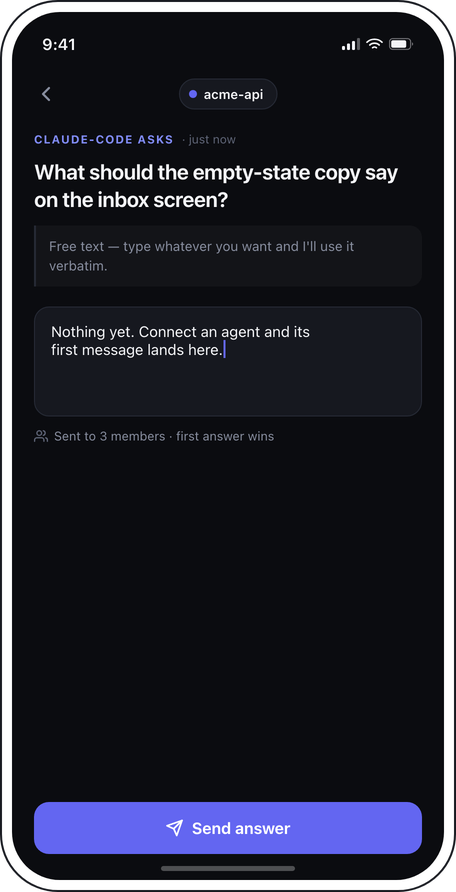
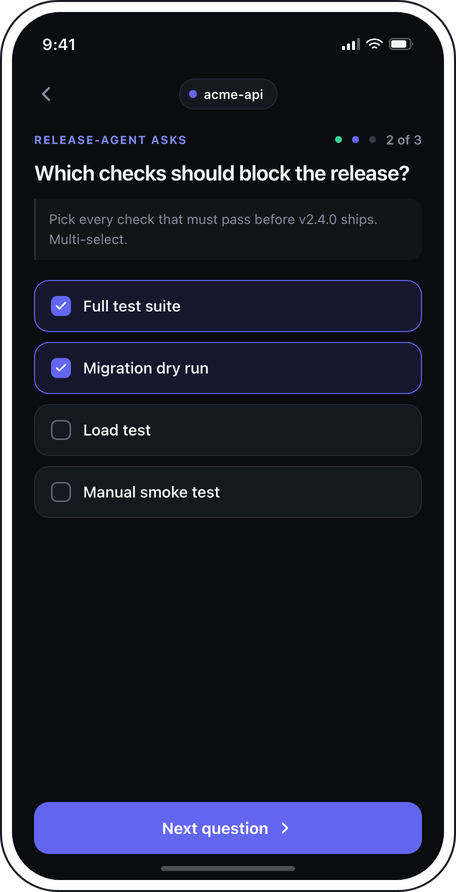
The agent's ask_question call blocks until a human answers — pick an option, select several, or type a reply, and the agent continues with your answer.
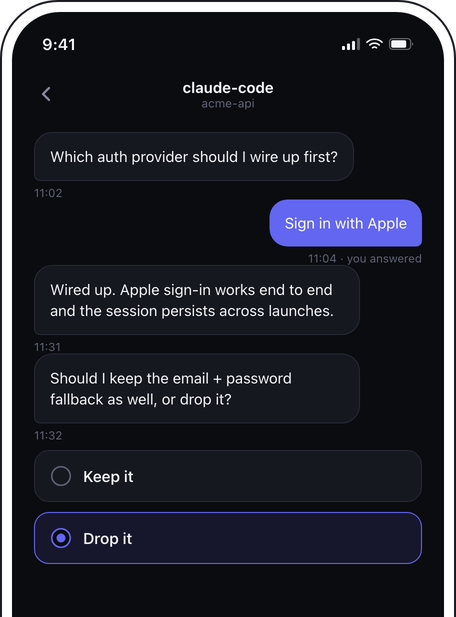
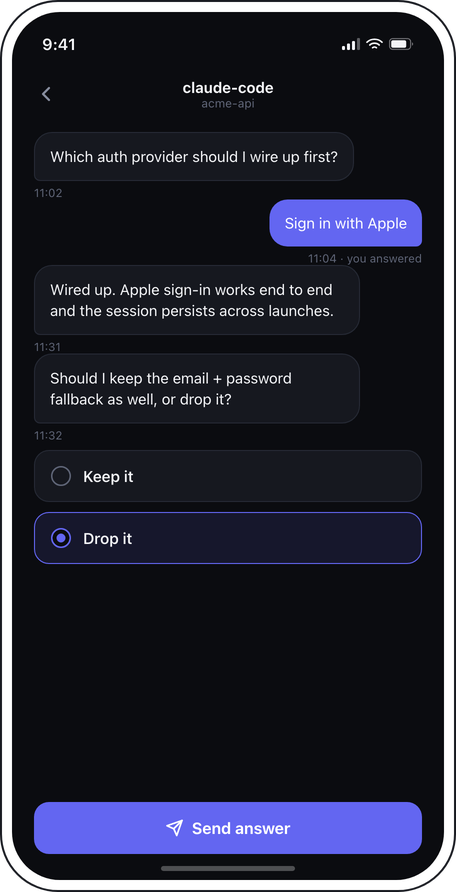
Follow-up questions continue the same conversation thread, so multi-step decisions read like a chat — not a pile of disconnected pings.
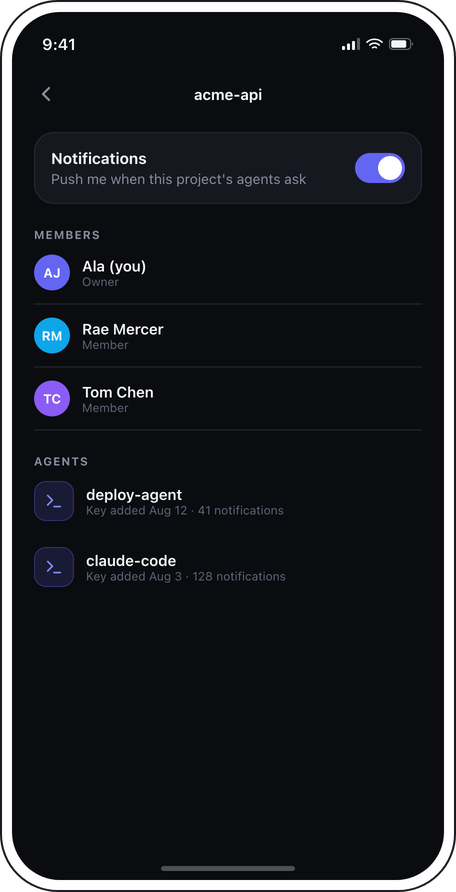
Questions reach everyone in the project; whoever is free answers first and the agent moves on. Follow-ups go only to the person who answered.
One entry in your agent's MCP config — a URL and an API key — and it can reach you. Works with Claude Code and any MCP-capable agent.
Every API key belongs to exactly one project and can be revoked any time from the dashboard — an agent only ever reaches its own project.
Paste the Notifex MCP server into your agent's config with a project API key, and it immediately gets two tools: send a message, or ask a question and wait for the answer.
Claude Code, custom agents, ops workflows — if it speaks MCP, it can page you. No SDK, no webhook plumbing.
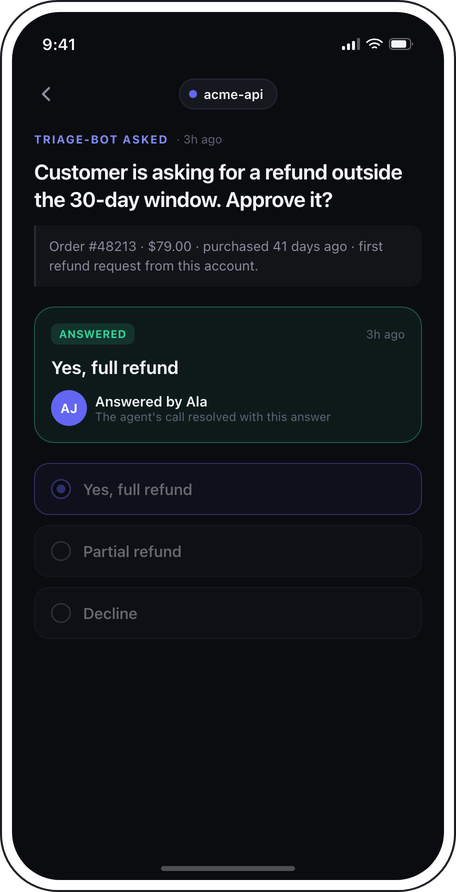
Tap the notification, see the question and its context, answer in one tap — the agent's call resolves and it keeps working.
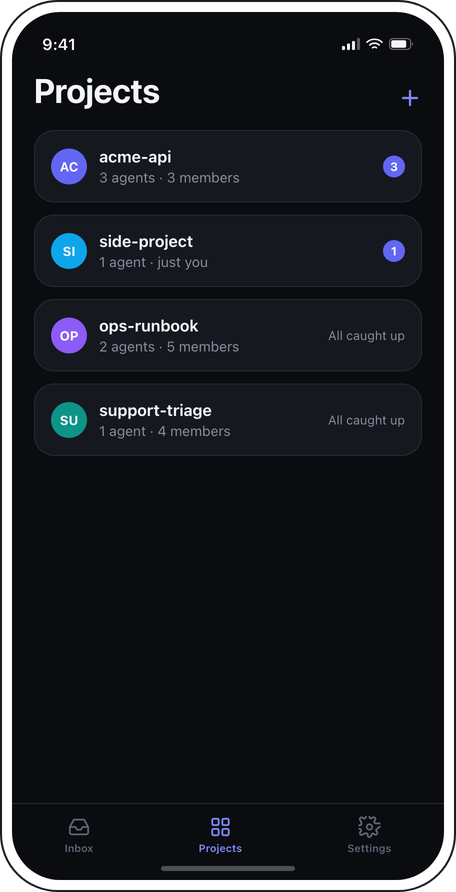
Projects group your people and your agents. An agent's question reaches every member — and whoever is free answers it first.
A clean inbox, clear questions, and one tap to unblock the agent.
How it connects, what the agent sees, and what happens while it waits.
Add the Notifex MCP server URL and a project API key to your agent's MCP configuration — one entry, no package to install and no code to write. Your agent then has two tools: send_message and ask_question.
The ask_question tool call stays open until someone answers. As soon as the first answer is submitted, the call returns with the answer, who gave it, and when — and your agent carries on from there.
Single-select, multi-select, and free text. The agent supplies the question, optional context, and the options — you pick one, pick several, or type your own answer instead.
First answer wins. The first submitted answer resolves the question for the whole project; anyone who opens it afterwards sees it marked answered, by whom, and with what.
Connect an agent, walk away from the terminal, and answer from wherever you are.
iPhone · any MCP client · first answer wins
Download on the App StoreQuestions, bugs, or a feature you want? Send us a message and a human will answer.
Thanks for reaching out — we read every message and a human will get back to you.