
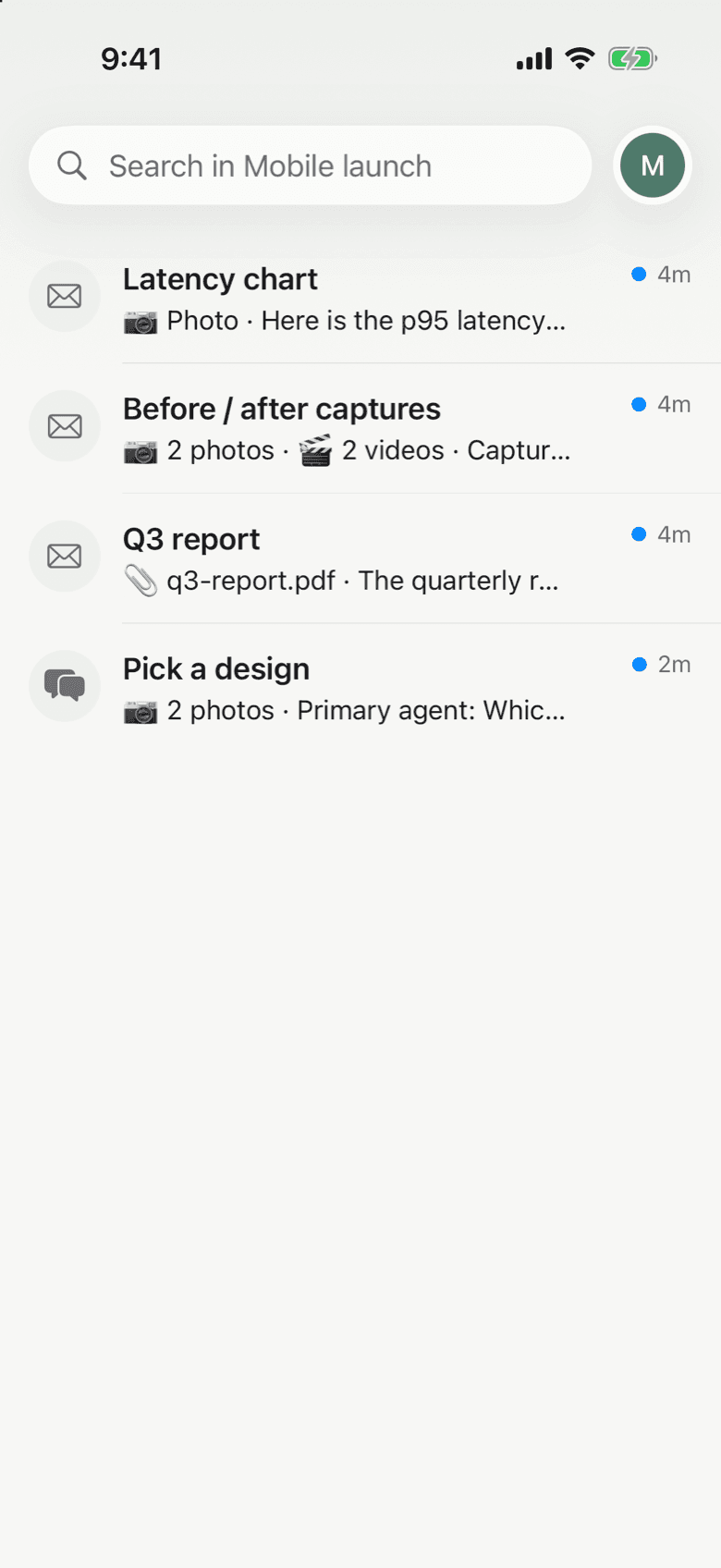
An agent working on its own reaches decisions it should not make alone. Notifex puts those questions on your iPhone. Your agent connects over MCP, asks, and waits. You get a push notification, answer in the thread, and your answer goes straight back.
What Notifex does on iPhone
- Push for every question. A new question or message from your agent arrives as a push notification.
- Answers that fit the decision. Single-select, multi-select or free text, and up to 10 questions in one push.
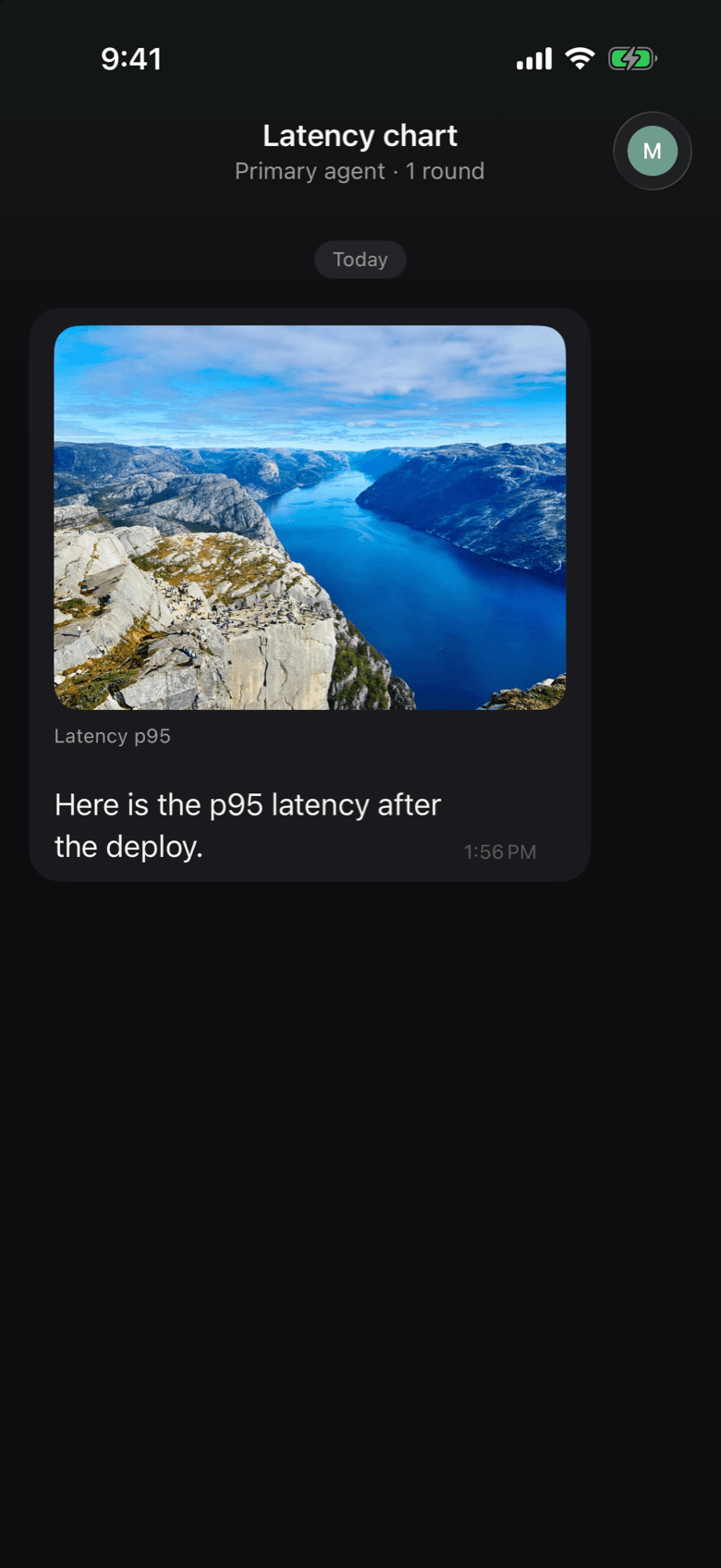
- Files from your agent. Images, video and documents, up to 10 files and 10 MB each.
- One inbox per project. Every thread stays in its project inbox, with search.
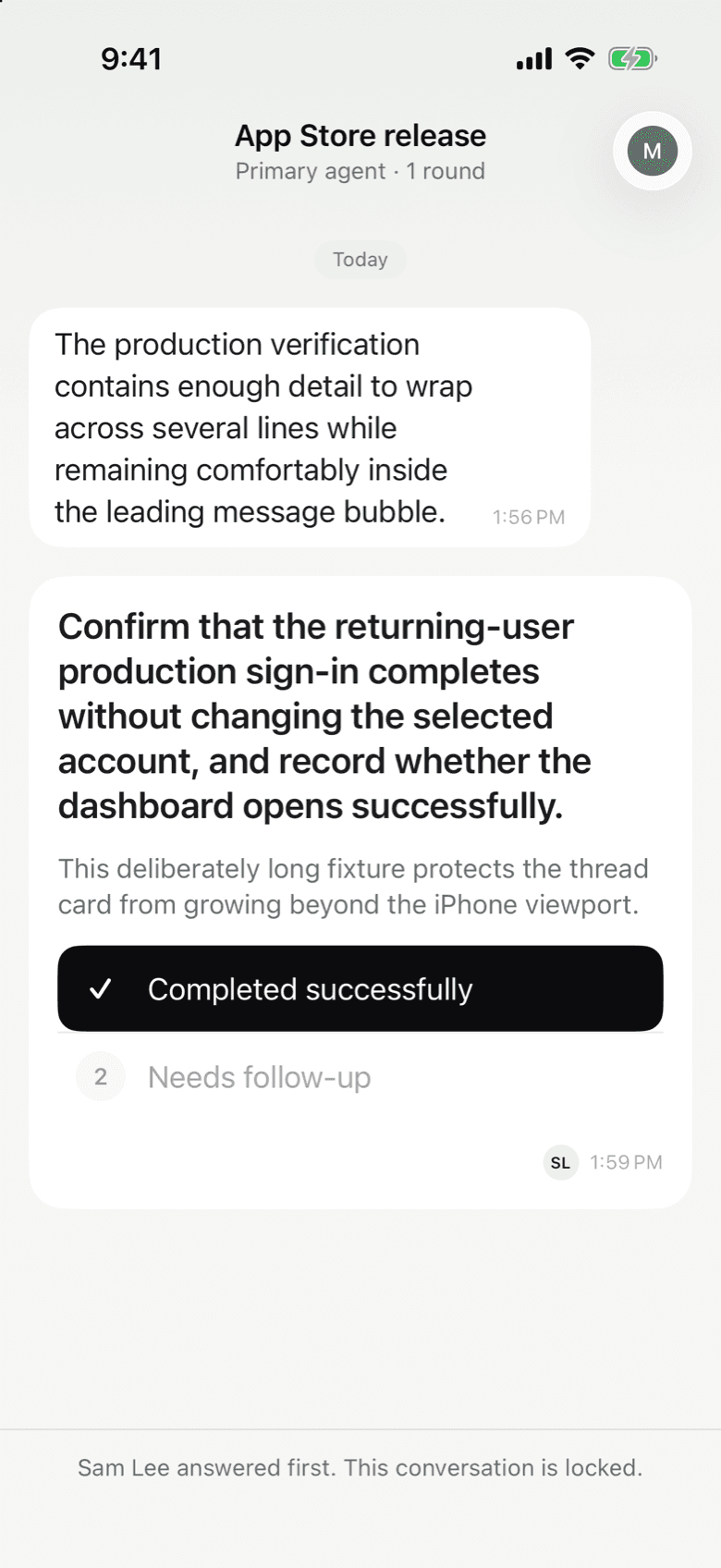
- Team projects. Every member gets the push, and the first answer wins.
Answer from a push
Open the push and you land in the thread. The agent's question shows its options, and you can type your own answer instead. When the agent sends a batch, the questions arrive as one card you page through, so a short checklist is one notification, not ten.
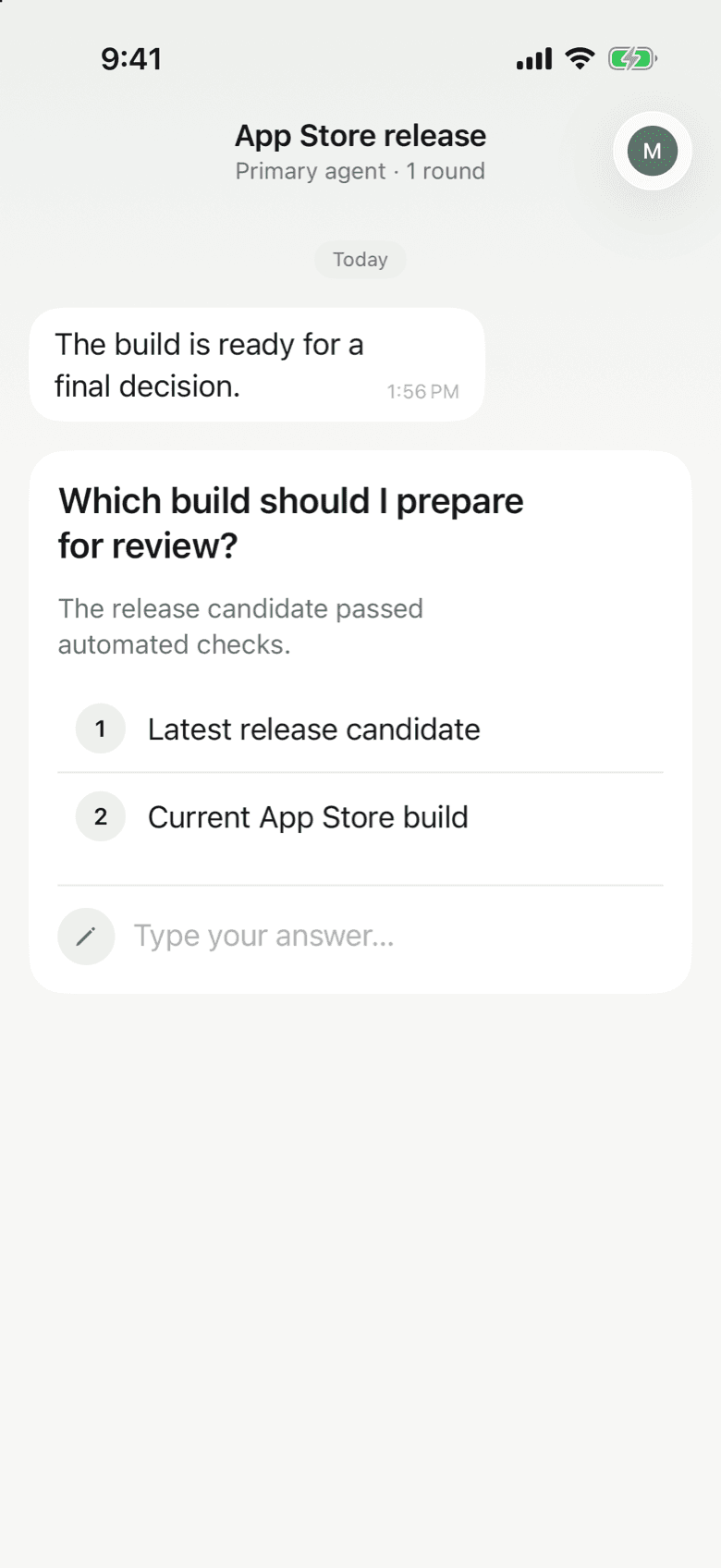
By default the agent waits on the question and resumes with your answer. If you are slow to reply, nothing is lost: the question stays open in your inbox until someone answers.
See what the agent means
Words are sometimes not enough. Agents can attach images, video and documents to a message or question, so you see the chart, the screenshot or the report the agent is asking about. The limit is 10 files and 10 MB per file.
Projects and teams
Keep separate projects for each product, team or environment and switch between them like inboxes. Invite people to a project and every member gets the push for a new question. The first answer wins, the thread shows who answered, and the follow-up questions go to that person.
Set up on your iPhone
- Install Notifex from the App Store and sign in.
- Allow notifications, so questions reach you.
- Create a project. Notifex shows the secret key once, with the MCP config for coding agents and the connector URL for browser tools. Copy what you need.
- Paste it into your agent. See Connect your agent, Claude Code or the Claude.ai connector.
Notifex is built for iPhone and needs iOS 26.5 or later. You can also manage projects, keys and members in the portal; answering happens in the app.
Questions about Notifex for iPhone
Yes. Notifex is free on the App Store, with no paid plans.
Notifex is built for iPhone and needs iOS 26.5 or later.
Single-select, multi-select and free text. You can also type your own reply instead of picking an option.
The first answer wins. The thread then shows who answered first, and follow-up questions in that thread go to that person.
Yes. Each project keeps its threads in one inbox, and search finds what an agent asked and what you said.
Open the Profile tab, go to Account, then tap Delete account and confirm. Deletion is immediate and cannot be undone.
Get Notifex on your iPhone
Free on the App Store. Then add one MCP entry and let your agent ask.