
Most ChatGPT MCP connector problems have five causes. The server URL is wrong, or authentication does not match. The tool list is stale, or an account or workspace policy blocks custom servers. Or a tool call waits longer than a chat turn can. Each one has a short fix, listed below.
The steps to add Notifex to ChatGPT are on the Notifex page for ChatGPT. This post is the fix list for when a custom MCP server does not behave. ChatGPT facts come from OpenAI's developer docs, read 2026-11-19.
How does a custom MCP server connect to ChatGPT?
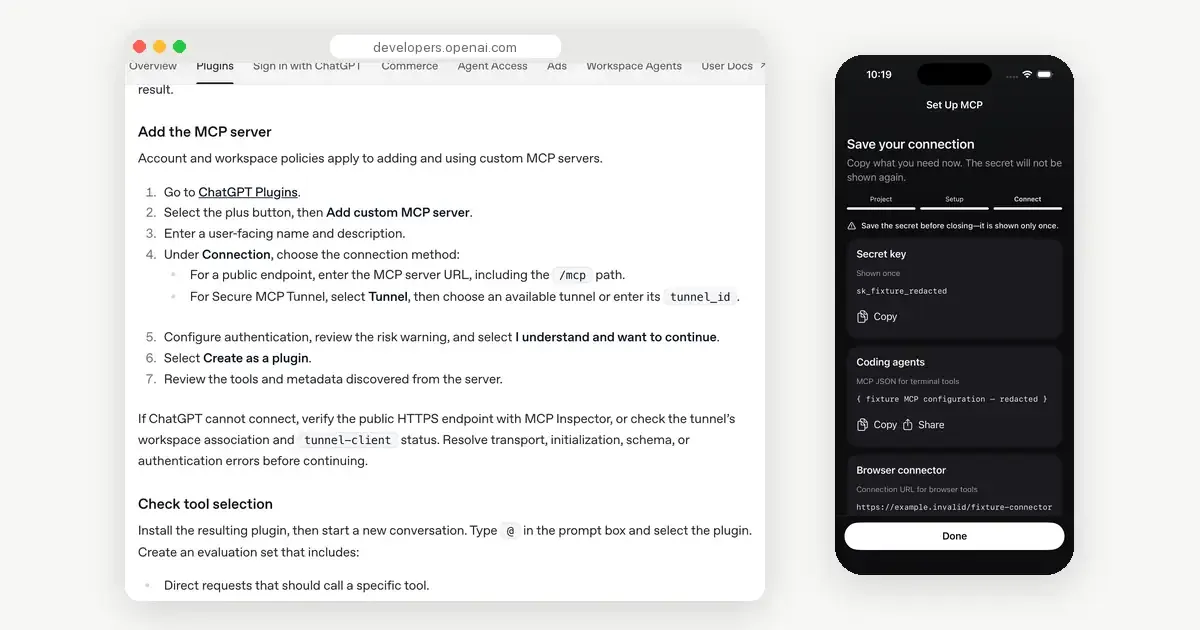
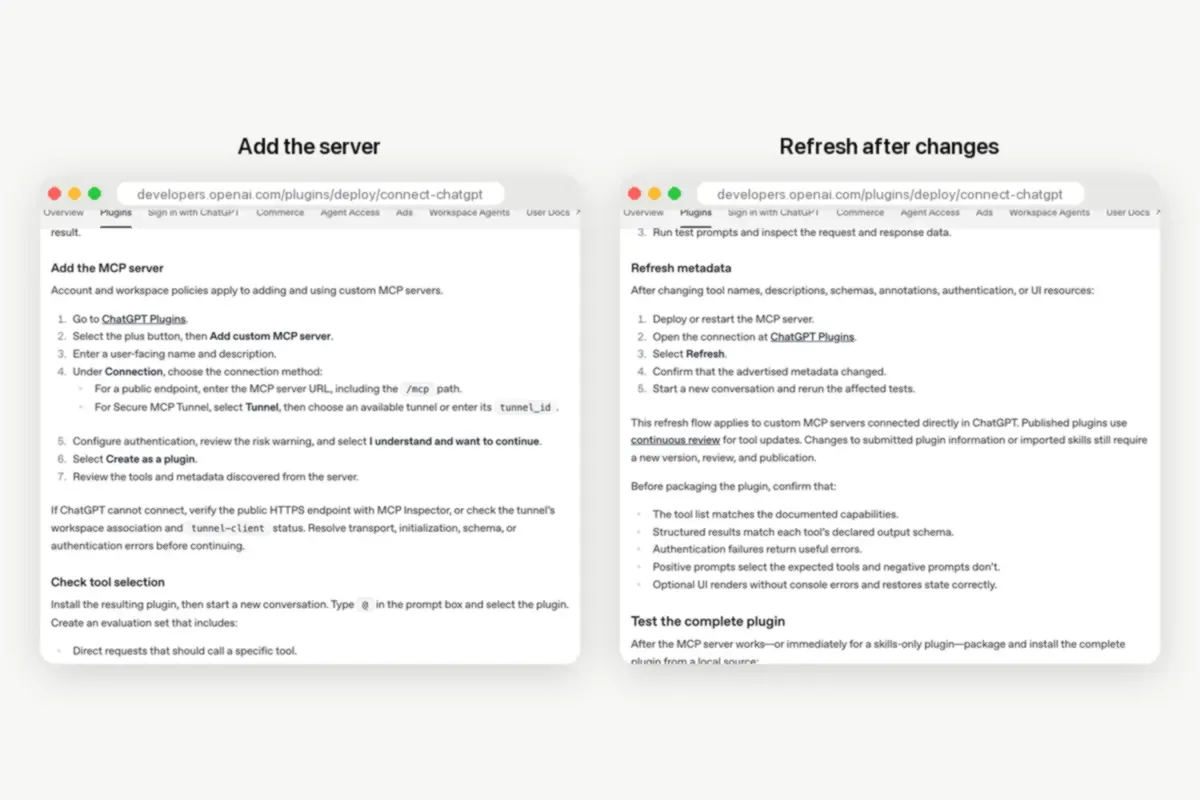
OpenAI's guide to connecting an MCP server in ChatGPT gives the flow. Open ChatGPT Plugins, select the plus button and choose Add custom MCP server. Enter a name and a description. Under Connection, enter the server URL, including the /mcp path. Configure authentication, read the risk warning and confirm it, then select Create as a plugin. Review the tools ChatGPT found, then type @ in a new chat and pick the plugin.
Keep that order in mind. Most problems below map to one of those steps.
Why can't you find Add custom MCP server?
OpenAI's page says account and workspace policies apply to adding and using custom MCP servers. In a work or school workspace, an admin may have to allow them first. Guides written for older ChatGPT versions may name a different menu. Start from ChatGPT Plugins, as the current docs do.
Why does ChatGPT fail to connect to the server?
Check the endpoint before anything else. It must be reachable over public HTTPS and speak streamable HTTP, usually at /mcp. OpenAI suggests testing the endpoint with the MCP Inspector and fixing transport, initialization, schema or authentication errors first.
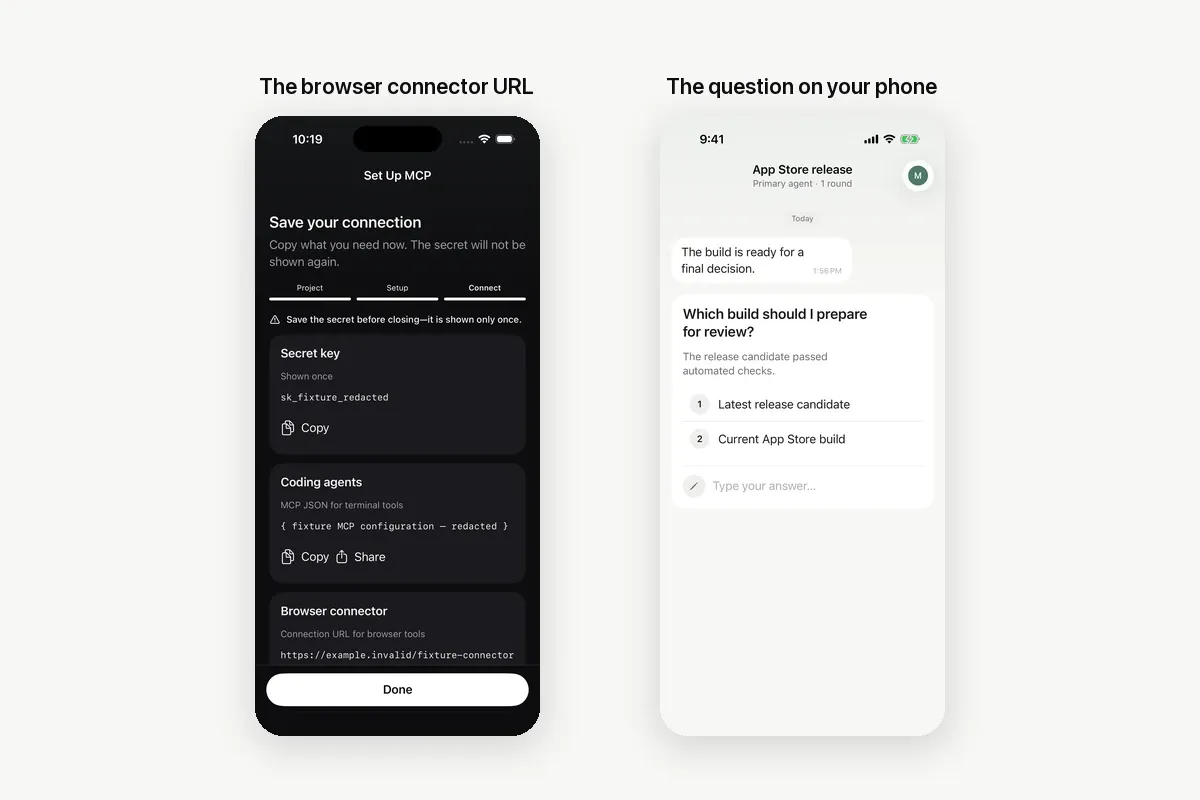
With Notifex, paste the whole browser connector URL. It already contains the /mcp path and your project's key. A URL that lost its end in a copy and paste is the most common mistake.
Which authentication option should you pick?
Pick the option your server expects. A server that signs users in with OAuth needs the OAuth option. OpenAI's troubleshooting page adds that an OAuth server should send a WWW-Authenticate header with a 401, so ChatGPT knows to start the sign-in again.
Notifex's connector URL carries the key inside it, so choose No authentication. If ChatGPT reports an authorization error, the key was probably revoked in the portal, or the URL is incomplete. Create a new key, copy the new URL, and add the server again.
Why doesn't ChatGPT show a new tool?
ChatGPT keeps the tool list it found when you added the server. After a server adds or changes tools, refresh it. OpenAI lists the steps: open the connection at ChatGPT Plugins, select Refresh, confirm the metadata changed, then start a new conversation. An old chat can keep using the old list.
Why does ChatGPT not use the connector?
Adding a server does not mean every chat uses it. Type @ in the prompt box and pick the plugin, then ask for the action by name. A direct prompt helps while you test, for example "Use Notifex to ask me which build to ship." If it still answers without the tool, check that the tool appears in the list ChatGPT found.
Why does the chat stop waiting for your answer?
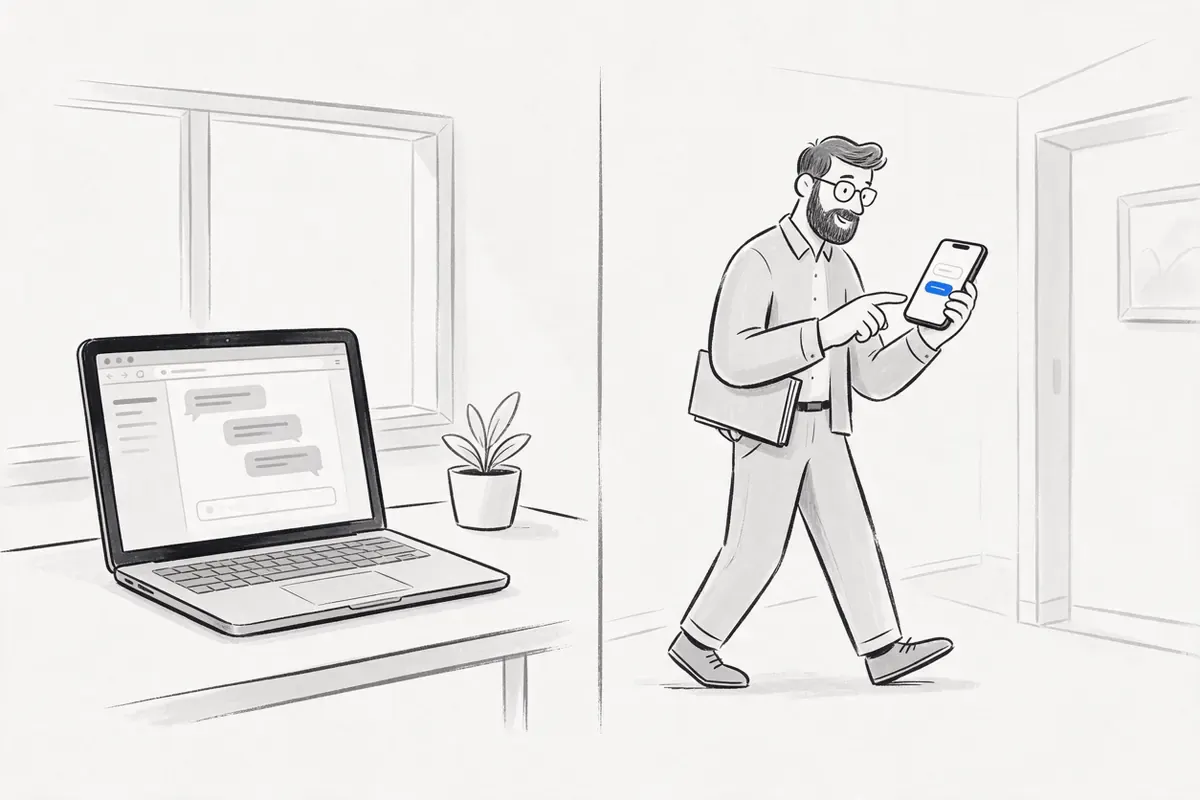
A chat turn is not built to sit inside a tool call for minutes. A tool that waits for a person needs another pattern. Notifex supports one. ChatGPT asks with wait=false. The question is created and pushed to your phone, and the call returns at once with a question id.
When you have answered, tell ChatGPT. It calls check_answer with that id and reads your reply. It can also call wait_for_answer if it should block until the answer lands. The question stays open in your inbox until someone answers, so nothing is lost.
A prompt line that works: "Ask me with Notifex using wait=false. When I say I answered, check the answer and continue."
How do you test the connector end to end?
Run one short test after every change. It tells you which step broke, instead of guessing.
- Start a new chat, type @ and pick Notifex.
- Ask: "Create a Notifex thread called Connector test, then ask me yes or no with wait=false."
- Check that ChatGPT shows a question id and that your phone buzzes.
- Answer on the phone, then tell ChatGPT you answered.
- Check that ChatGPT reads your answer with check_answer and repeats it back.
If step 3 fails, look at the URL and authentication. If step 5 fails, refresh the tools and try again in a new chat. If both pass, the connector works, and any later problem is in the prompt.
What if the connector URL leaks?
Treat a URL with a key inside it like a password. Anyone who has it can reach that project. Revoke the key in the Notifex portal, create a new one, and add the server again with the new URL. Any client that used the old key loses access to the project.
| Symptom | Likely cause | Fix |
|---|---|---|
| No Add custom MCP server option | Account or workspace policy | Ask a workspace admin; start from ChatGPT Plugins |
| Cannot connect | URL missing /mcp, private host or transport error | Test with MCP Inspector; paste the full URL |
| Authorization error | Wrong auth option, revoked key or cut URL | No authentication for Notifex; new key and URL |
| New tool missing | Stale tool metadata | Refresh the connection, then start a new chat |
| Tool never called | Plugin not picked in the chat | Type @, pick the plugin, name the action |
| Chat gives up on the answer | Long blocking call in a chat turn | Ask with wait=false, then check_answer |
Where do the other clients differ?
Claude.ai works the same way, with a connector URL and no sign-in, as shown on the Claude.ai connector page. Coding agents send the key in a header instead. The Claude Code setup uses one claude mcp add line, and the agent setup page lists Cursor, Codex and the rest. Whichever client you use, the questions arrive in the same app on your iPhone or Android phone.
Quick answers
It is a remote MCP server added to ChatGPT as a custom MCP server. ChatGPT can then call the server's tools in a chat.
Usually the URL is not public HTTPS, misses the /mcp path, or the auth option does not match. Test the endpoint with MCP Inspector first.
Open the connection at ChatGPT Plugins, select Refresh, check that the metadata changed, and start a new conversation.
Use wait=false. ChatGPT gets a question id at once, and after you answer on your phone it reads the reply with check_answer.
Give your agent someone to ask
Free on the App Store and Google Play. Then add one MCP entry and let your agent ask.