
How do I add Notifex to ChatGPT as an MCP connector?
- Open the plugins page in ChatGPT at chatgpt.com/plugins.
- Select Add at the top right, then Add custom MCP server.
- Name it Notifex and add a short description, such as "Ask me questions on my phone".
- Under Connection, keep Server URL and paste your Notifex connector URL.
- Under Authentication, choose No authentication: the key is already in the URL.
- Read the risk warning and tick I understand and want to continue.
- Select Create as a plugin and check that the Notifex tools are listed.
- In a new chat, type @ and pick Notifex.
OpenAI's account and workspace policies decide who can add a custom MCP server. In a work workspace, an admin may need to allow it first.
Get the connector URL
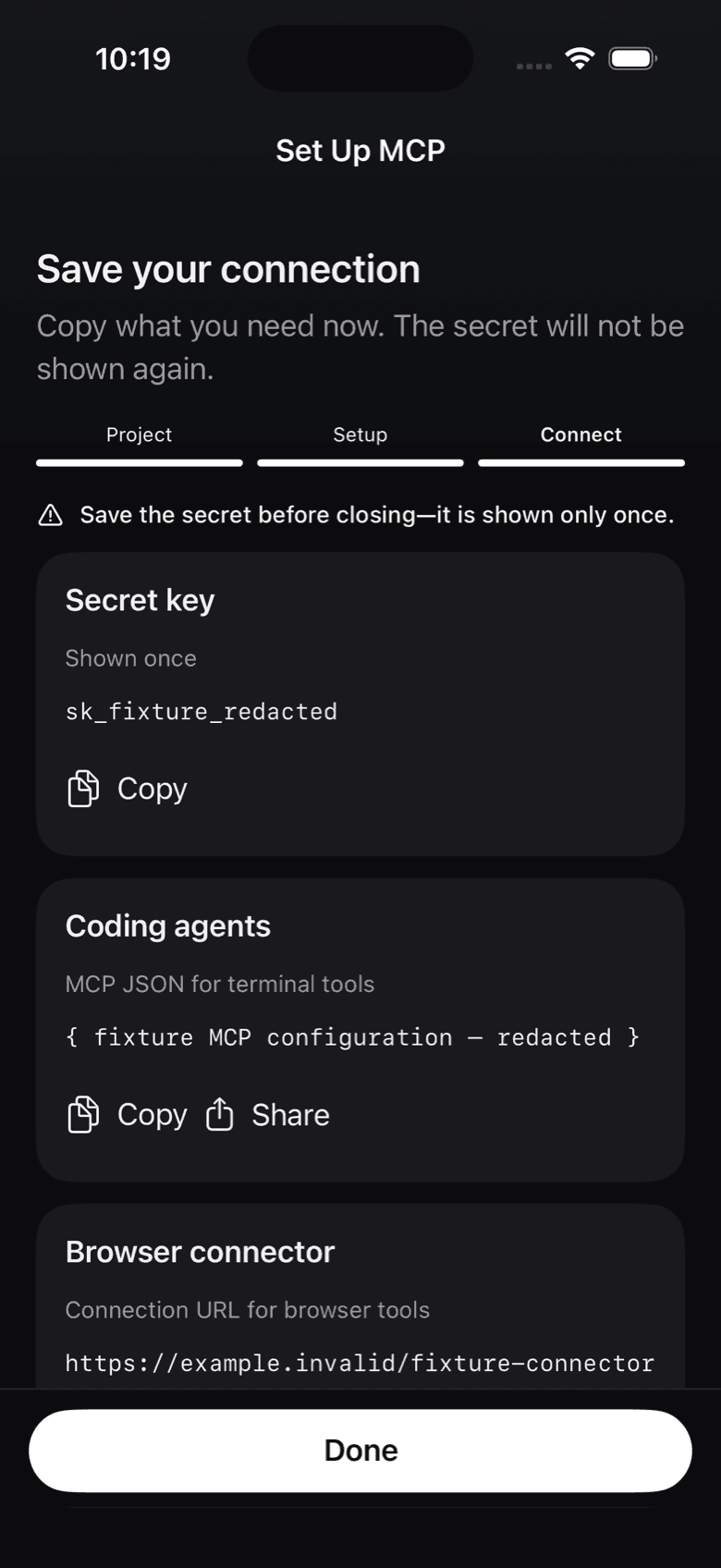
When you create a project in the Notifex app on iPhone or Android, it shows a "Browser connector" URL next to the secret key. You can also copy it when you create a key in the portal. Copy it then: like the key, it is shown once.
How does ChatGPT ask in a chat?
A chat turn cannot wait for long. So ChatGPT asks with wait=false: the question is created and pushed to your phone, and the call returns at once with an id. When you have answered, ChatGPT picks it up with check_answer, or waits for it with wait_for_answer. The question stays open in your inbox until someone answers, so nothing is lost.
Keep the URL safe
The connector URL has your project's key inside it, so anyone with the URL can reach that project. Do not paste it into shared documents. If it leaks, revoke the key in the portal and create a new one. Using Claude in the browser? See the Claude.ai connector. Using Codex? See Codex.
Questions about Notifex and ChatGPT
Yes. Notifex is a remote MCP server. ChatGPT adds it as a custom MCP server, and the chat can then call the Notifex tools.
No need. ChatGPT can ask with wait=false, so the call returns at once, then check back with check_answer or wait_for_answer.
Open the Notifex connection on the ChatGPT plugins page and select Refresh, then start a new chat.
Revoke the key in the portal. Any agent using that key loses access to the project straight away.
Notifex is free on the App Store and Google Play. Which ChatGPT accounts can add custom MCP servers is up to OpenAI and your workspace.
Get Notifex on your phone
Free on the App Store and Google Play. Then add one MCP entry and let your agent ask.