
How do Cursor notifications work?
Cursor connects to Notifex as a remote MCP server over HTTP. When the agent needs a decision, it calls ask_question, your phone gets a push, and the agent waits. You tap an option or type a reply, and it continues with your answer. For a plain update, such as "refactor done", it sends a one-way message instead.
Before you start
- Install Notifex on your iPhone or Android phone, sign in and allow notifications.
- Create a project. Copy the secret key: it is shown once.
How do I add Notifex to Cursor?
Create .cursor/mcp.json in your project, or ~/.cursor/mcp.json to use Notifex everywhere, and add the Notifex server with your key in place of <YOUR_API_KEY>:
{
  "mcpServers": {
    "notifex": {
      "url": "https://mcp.notifexapp.com/mcp",
      "headers": {
        "Authorization": "Bearer <YOUR_API_KEY>"
      }
    }
  }
}
To keep the key out of the file, Cursor can read it from an environment variable named in the header:
{
  "mcpServers": {
    "notifex": {
      "url": "https://mcp.notifexapp.com/mcp",
      "headers": {
        "Authorization": "Bearer ${env:NOTIFEX_API_KEY}"
      }
    }
  }
}
Turn the server on under Customize in Cursor's sidebar. If it does not connect, the MCP Logs in the Output panel show why. The agent then sees the seven Notifex tools: create_thread, send_message, ask_question, ask_questions, wait_for_answer, check_answer and create_upload.
Can Cursor send a notification when it is done?
Yes. Tell the agent to send you a Notifex message when it finishes. Add this to your project rules so it follows it in every chat:
## Notifex
- Before you deploy, delete data or pick between options I have not decided, ask me with Notifex (ask_question) and wait for my answer.
- When you finish, send me one Notifex message (send_message) with a one-line summary of what changed.
- Start a new Notifex thread (create_thread) for each new topic.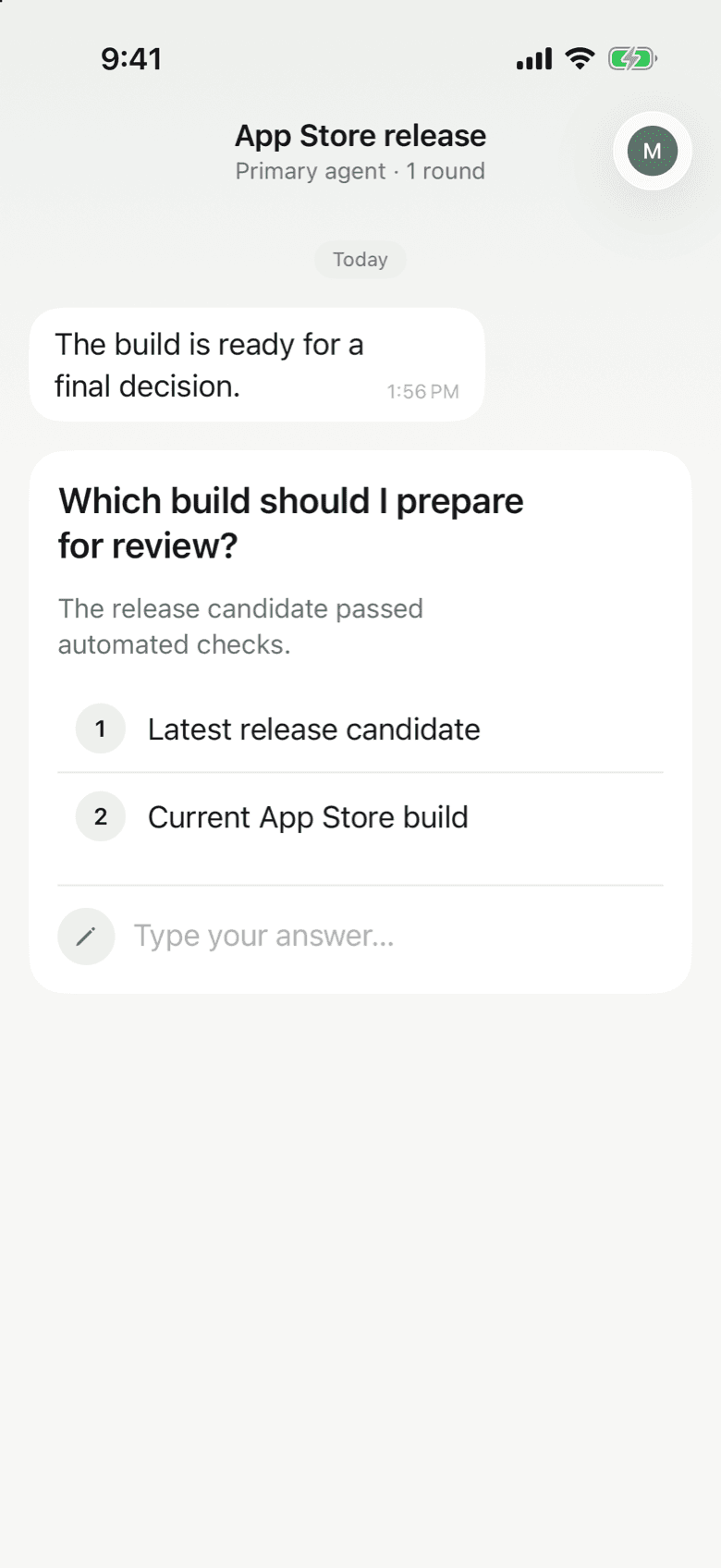
Tips for long runs
- One thread per topic. create_thread starts a thread, and its subject is the push title.
- Batch related questions. ask_questions sends up to 10 in one push.
- Show, do not describe. create_upload attaches screenshots, logs or video, up to 10 files of 10 MB each.
- Share the team. In a team project every member gets the push, and the first answer wins.
The endpoint, keys and tool limits are in Connect your agent.
Questions about Notifex and Cursor
Yes. ask_question and ask_questions block until a person answers, and the agent carries on with your reply.
Use .cursor/mcp.json for one project, or ~/.cursor/mcp.json for every project. Keep the key out of files you commit.
Yes. Ask the agent to send you a Notifex message with send_message when it finishes. It arrives as a push on your phone.
No. Notifex is free on the App Store and Google Play.
Get Notifex on your phone
Free on the App Store and Google Play. Then add one MCP entry and let your agent ask.