A Claude custom connector is a remote MCP server that you add to Claude by its URL. Claude connects to it from Anthropic's cloud, so the server must be reachable on the public internet. Once added, its tools work in Claude on the web, Claude Desktop, Cowork and the mobile apps. They also show up in Claude Code when you sign in with the same claude.ai account.
The steps to add Notifex are on the Claude.ai connector page. This post explains the moving parts: who can add a connector, the sign-in options, where it runs, and what to check when it does not connect. Facts come from Anthropic's help center and Claude Code docs, read 2026-11-19.
Who can add a Claude custom connector?
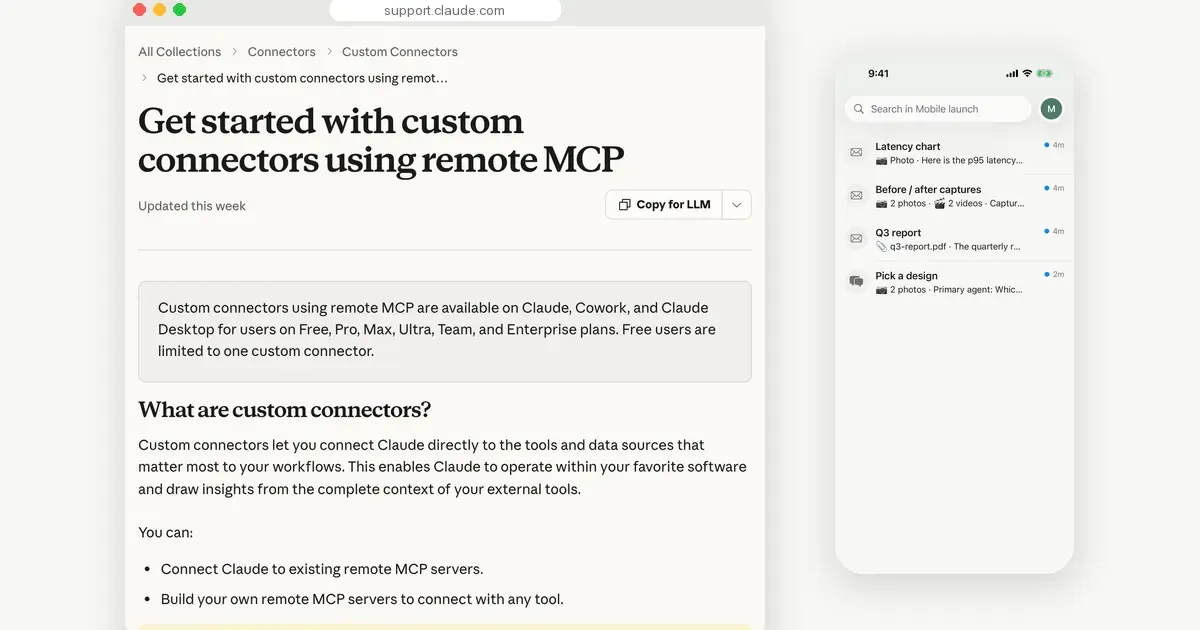
Anthropic's article Get started with custom connectors using remote MCP says custom connectors are available on Free, Pro, Max, Ultra, Team and Enterprise plans. Free users are limited to one custom connector.
On Team and Enterprise plans, Owners and Primary Owners add connectors for the organization. On Enterprise, people with a custom role that includes Manage access to Libraries can add them too. Members then find the connector under Customize, Connectors and select Connect.
How do you add a custom connector?
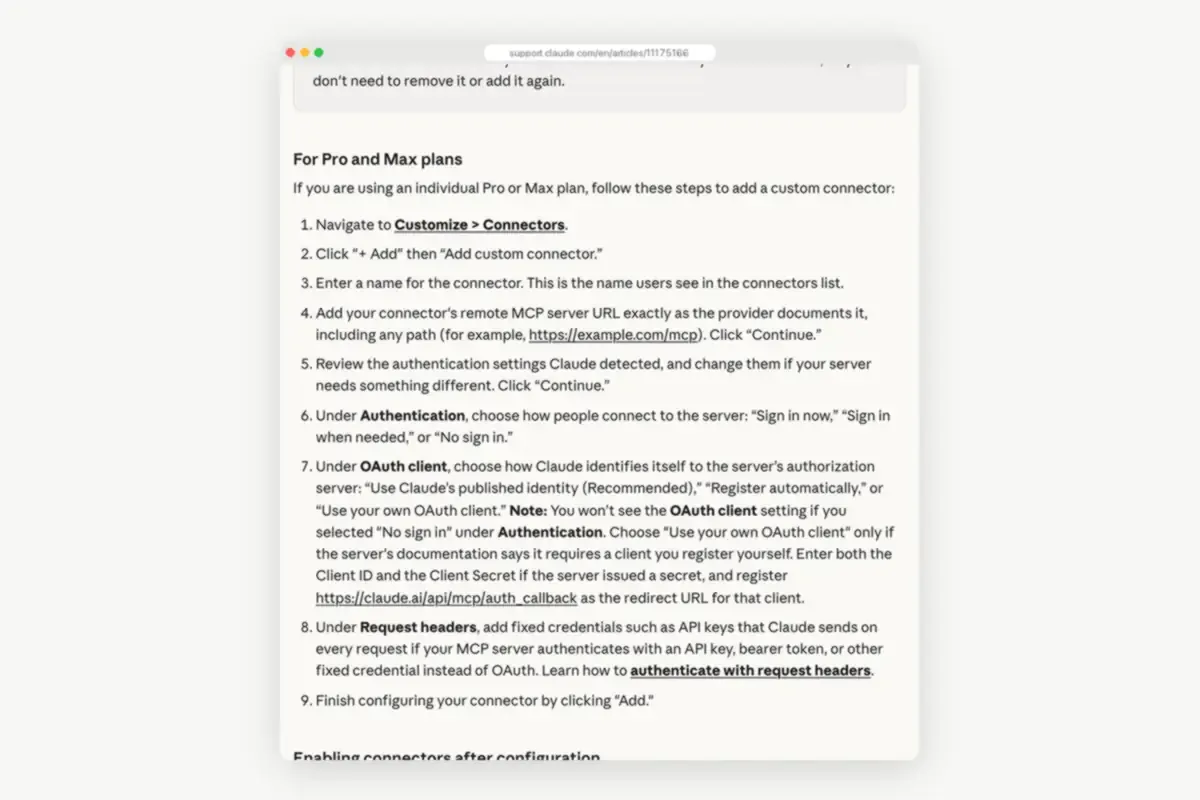
On a Pro or Max plan the article lists these steps:
- Go to Customize, then Connectors.
- Click + Add, then Add custom connector.
- Enter a name and the remote MCP server URL, including any path. Click Continue.
- Review the authentication settings Claude detected, and change them if your server needs something different.
- Choose the Authentication and OAuth client options, add request headers if needed, and click Add.
Team and Enterprise Owners start from Organization settings, Connectors. They select Add, hover over Custom and pick Web.
Which authentication option should you choose?
Under Authentication you choose how people connect: Sign in now, Sign in when needed or No sign in. Pick a sign-in option when the server uses OAuth to know who you are. Pick No sign in when the URL alone is enough.
With a sign-in option, the OAuth client setting tells Claude how to identify itself. The choices are Claude's published identity, which Anthropic recommends, automatic registration, or your own OAuth client. For your own client you enter a client ID and secret, and register https://claude.ai/api/mcp/auth_callback as the redirect URL.
The last option is Request headers. It holds fixed credentials, such as an API key or bearer token, that Claude sends on every request. Use it for servers that authenticate with a key instead of OAuth.
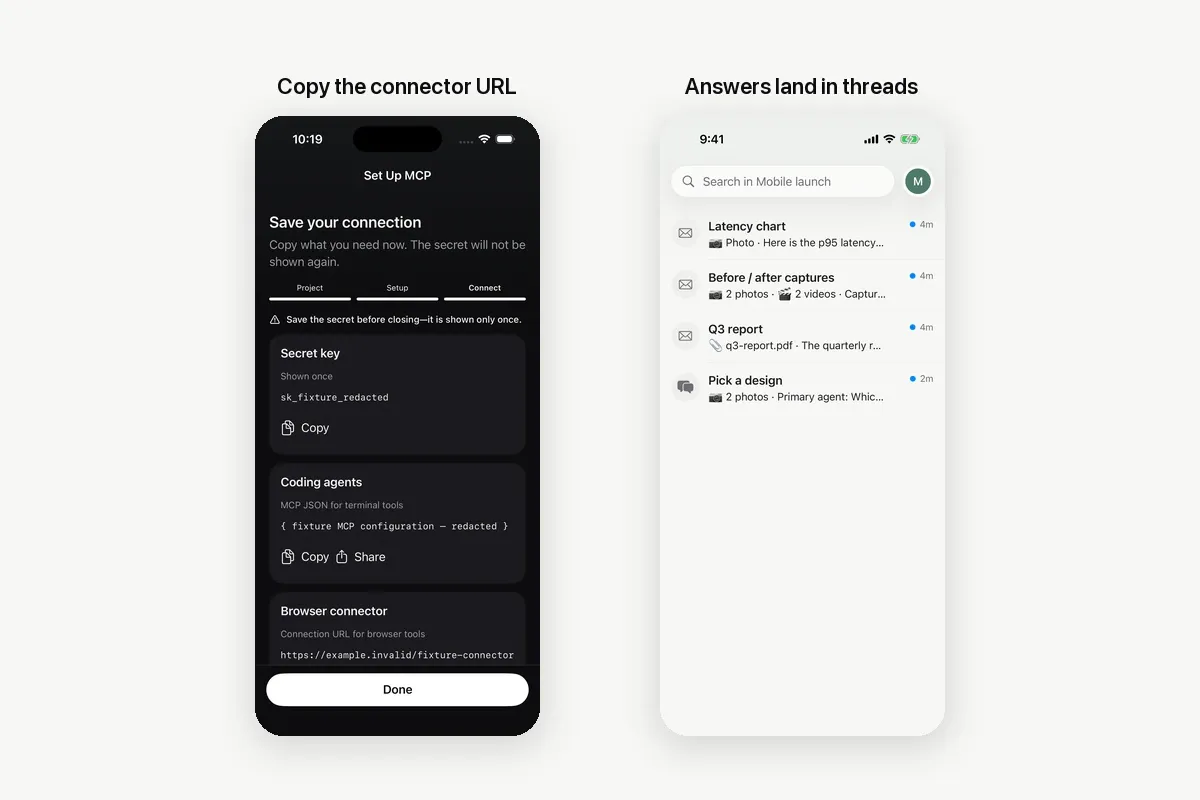
For Notifex, the setup page uses the browser connector URL with No sign in. That URL carries your project's key, so treat it like a password. The Notifex server also accepts the key as an Authorization: Bearer header on https://mcp.notifexapp.com/mcp, the way coding agents send it. The request headers option is a way to keep the key out of the URL.
Where does a custom connector work?
The connection starts in Anthropic's cloud, not on your computer. That is why one connector works across Claude on the web, Claude Desktop, Cowork and the mobile apps. It is also why a local server cannot be a custom connector. Servers you set up in claude_desktop_config.json stay on your machine and are not available in claude.ai.
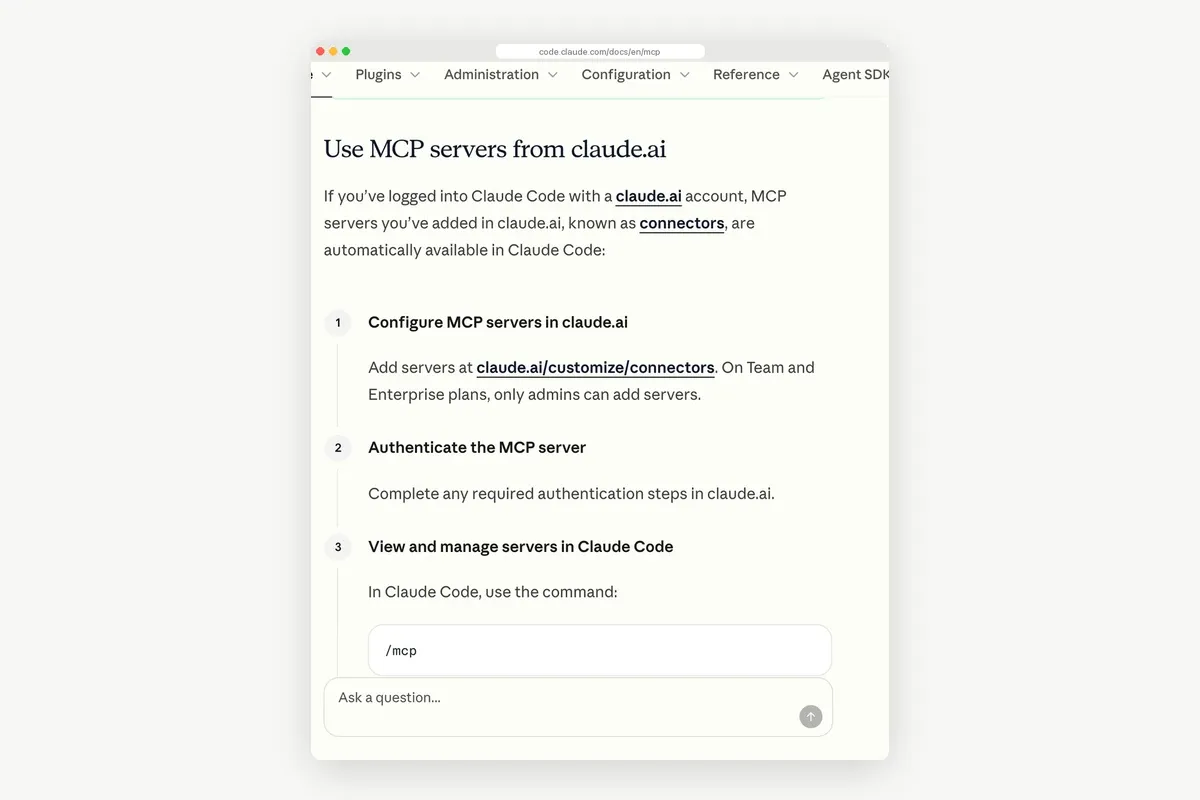
Claude Code picks up connectors too. Its MCP docs say that when you sign in to Claude Code with a claude.ai account, the connectors you added in claude.ai are available automatically. /mcp marks them as coming from claude.ai. This works only when a claude.ai subscription login is the active authentication, not with an API key.
If you add the same server in Claude Code yourself, your entry takes precedence, and /mcp lists the connector as hidden.
| Custom connector in claude.ai | MCP server added in Claude Code | |
|---|---|---|
| Where you add it | Customize, Connectors | claude mcp add or .mcp.json |
| Who connects to the server | Anthropic's cloud | Your machine |
| Server location | Public internet, HTTPS on port 443 | Public, private or local |
| Where the tools work | Web, Desktop, Cowork, mobile, and Claude Code with a claude.ai login | That Claude Code setup |
| Auth options | Sign in now, Sign in when needed, No sign in, request headers | Headers, OAuth or a headers helper |
| Elicitation modes | Form mode only on older protocol revisions | Form and URL modes |
Why won't a custom connector connect?
- The server is private. It must be reachable from Anthropic's IP ranges on port 443. A server behind a VPN, a firewall or a corporate network will not connect unless you allowlist those ranges.
- The URL is incomplete. Enter it exactly as the provider documents it, path included.
- The auth option does not match. An OAuth server needs a sign-in option. A key in the URL needs No sign in.
- The connector is off in this chat. Click + in the chat, open Connectors and turn it on.
- You need to change a detail. A custom connector cannot be edited. Remove it and add it again with the new details.
If Claude does not see a tool the server added later, reconnect the connector so it loads the current tool list.
What should you check before you trust a connector?
Anthropic's article is direct about the risks. Custom connectors are not verified by Anthropic, so connect only to servers you trust. It warns that a malicious server may include hidden instructions, and that a developer can change tool behavior without notice. Choose Allow always only for tools you trust to run unsupervised.
With Notifex the access is narrow by design. A key reaches one project, and you can revoke it in the Notifex portal at any time.
How does Claude ask you a question through a connector?
A browser chat cannot sit in a long tool call, so Claude asks with wait=false. The question goes to your phone, the call returns with an id, and Claude checks back with check_answer once you have answered. Servers can also ask through MCP elicitation, which shows a form in the client. We compare the two in MCP elicitation vs ask_question.
To try it, install Notifex on your iPhone or Android phone, then follow the connector steps. In Claude Code, the Claude Code setup takes one command, and the agent setup guide covers the other clients.
Quick answers
It is a remote MCP server you add to Claude by URL under Customize, Connectors. Claude connects to it from Anthropic's cloud.
Anthropic lists Free, Pro, Max, Ultra, Team and Enterprise. Free users can add one. On Team and Enterprise, Owners add them for the organization.
Yes, when you sign in to Claude Code with your claude.ai account. The connectors appear in /mcp, marked as coming from claude.ai.
You cannot edit one in place. Remove it, then add it again with the new URL or settings.
Give your agent someone to ask
Free on the App Store and Google Play. Then add one MCP entry and let your agent ask.