
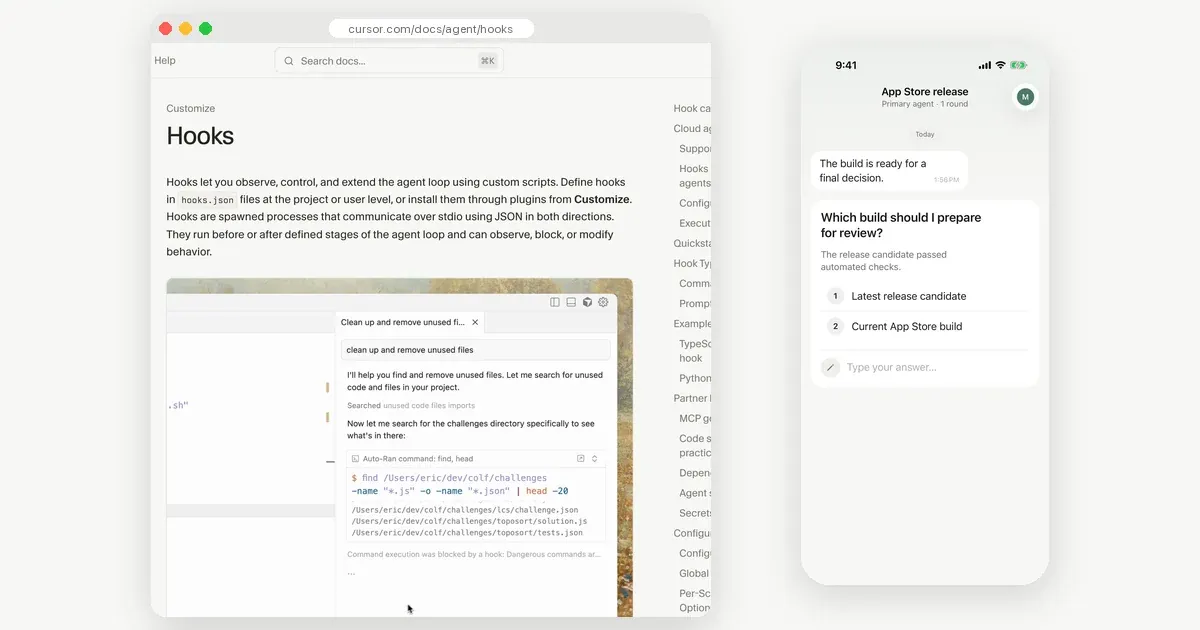
Cursor notifications come in three layers. Cursor's own desktop notification and sound tell you the agent finished or is waiting, while you are near the computer. A stop hook can run any script when the agent finishes, so a push can reach your phone. For a decision while you are away, the agent needs a tool that asks you and waits for the answer, such as an MCP question.
This post explains when each layer is enough. The step-by-step setup for the third one is on our Cursor setup page. We make Notifex, the MCP question app used there, and we say where the simpler options fit better. Cursor facts were checked in Cursor's docs and forum on 2026-11-19.
What notifications does Cursor have built in?
Cursor can show a desktop notification and play a sound. In a Cursor forum thread from January 2026, a user asked for push notifications. The reply pointed to desktop notifications from version 1.5, including when the agent waits for confirmation, and to a sound setting. Check your own version's settings, since names move between releases.
These alerts live on the computer. They help when you are in another window or across the room. They do not reach you on a walk, and they cannot carry your answer back. The same thread asks for mobile push for that reason.
How do you get a Cursor notification on your phone when the agent is done?
Use a hook. The Cursor hooks docs describe scripts that run at set points in the agent loop. They talk to Cursor through JSON on standard input and output. The stop hook runs when the agent finishes. Its input carries a status of completed, aborted or error.
- Create
.cursor/hooks.jsonin the project, or~/.cursor/hooks.jsonfor every project. Set"version": 1. - Add a
stopentry whosecommandpoints at a script. - In the script, read the status with
jqand send a push with any service you use. - Make the script executable, then run one agent task to test it.
{ "version": 1, "hooks": { "stop": [{ "command": ".cursor/hooks/notify-done.sh" }] } }
The example below sends the status to an ntfy topic with one curl line, as the ntfy publishing docs show. Pushover, a Slack webhook or a Telegram bot work the same way. Only the request changes.
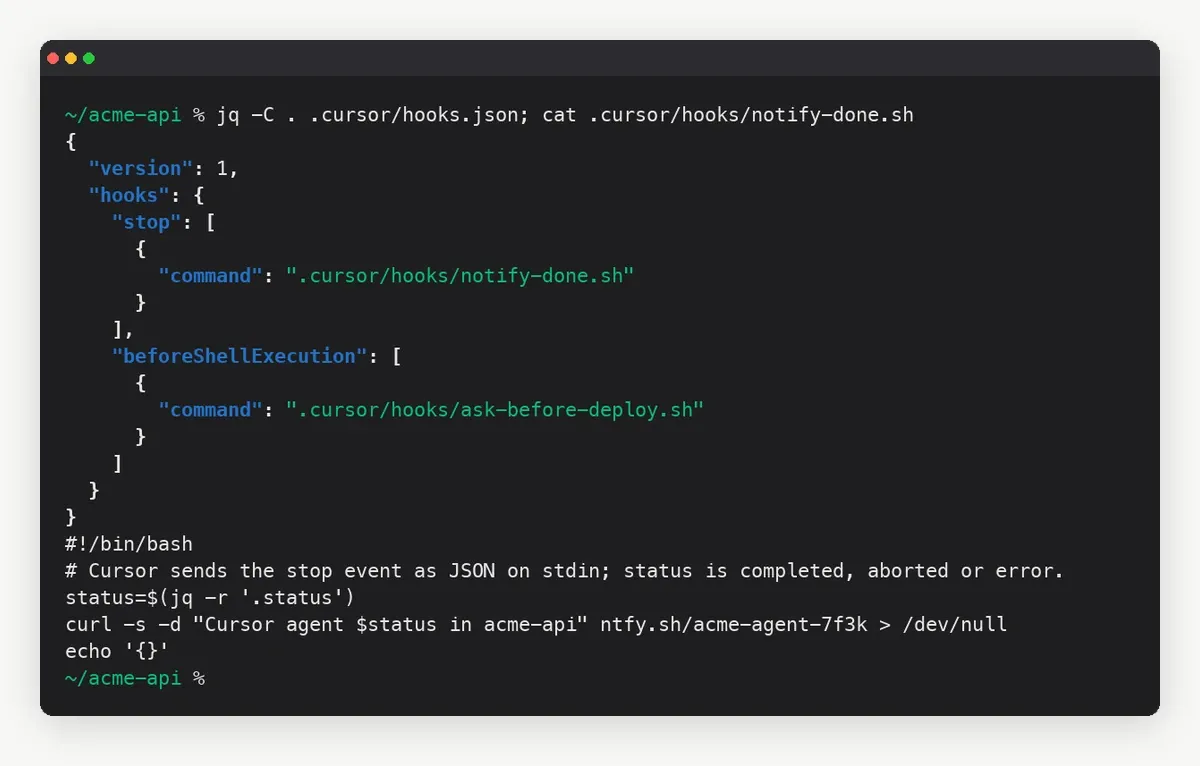
Two details from the docs are worth knowing. A stop hook may return a followup_message, and Cursor submits it as the next user message. Leave it out for a notification script, or the agent starts another turn. Cursor also caps how often stop hooks can loop, with a default limit of 5.
Can a Cursor hook ask you before a command runs?
Yes, at the desk. The beforeShellExecution hook runs before a shell command. Its script can answer allow, deny or ask. With ask, Cursor stops and shows the command for you to confirm. A user_message appears in Cursor, and an agent_message goes to the agent.
Two safety rules from the docs matter here. Exit code 2 blocks the action. Other script failures let the action through by default, unless you set failClosed: true. So test a guard hook before you trust it.
The catch is the same as with built-in alerts. An ask waits in the Cursor window. If you are not there, the agent waits for nothing. A stop hook can tell you it finished. It cannot hand you the decision.
What if Cursor needs a decision while you are away?
Give the agent a tool that asks a person and waits. Cursor supports remote MCP servers in .cursor/mcp.json, as its MCP docs describe. Notifex is one of those servers. The agent calls ask_question with a question and options. Every member of the project gets a push on their phone. The first answer returns to the agent as the tool result, and the agent carries on.
- Answer types: single choice, multiple choice or free text, and up to 10 questions in one push with ask_questions.
- Context: the agent can attach screenshots, logs or video with create_upload, up to 10 files of 10 MB each.
- Done messages: send_message posts a one-way update, so the same app can tell you the agent finished.
The full setup, with the mcp.json entry and a project rule, is on the Cursor setup page. The same server works in other clients too; see set up any MCP agent.
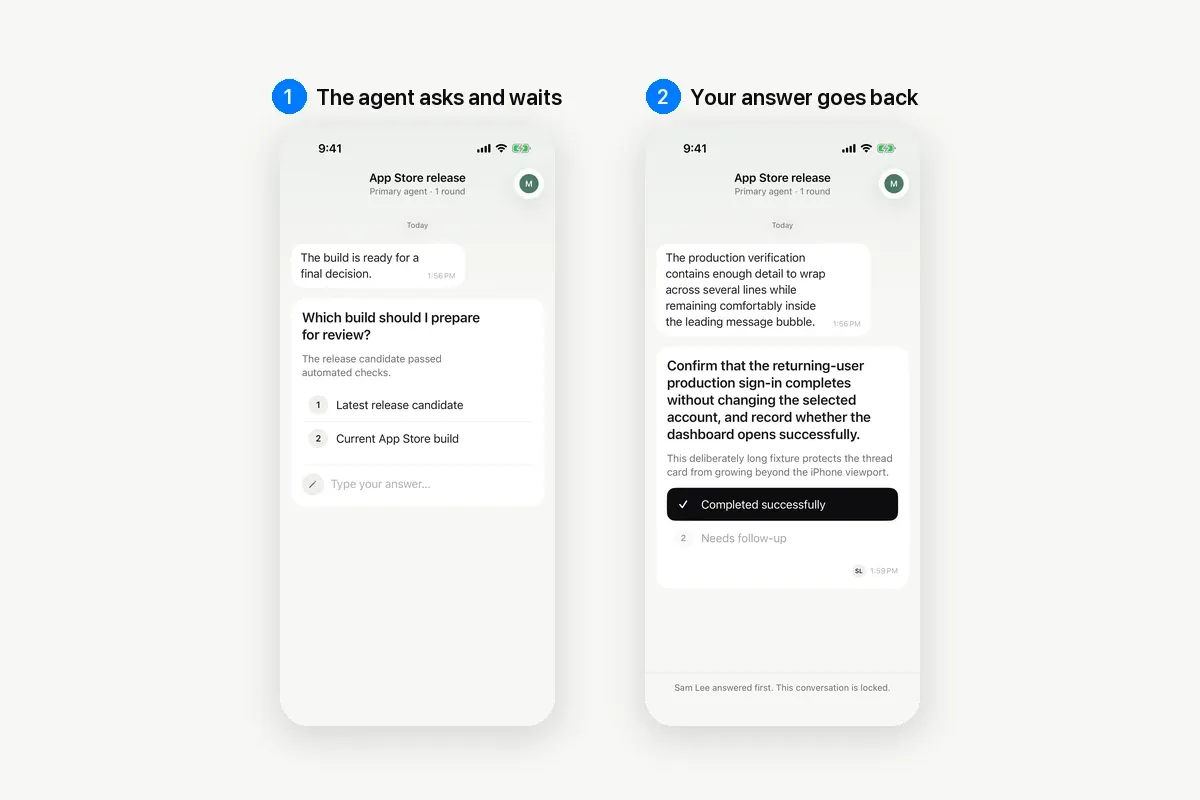
One rule line makes the habit stick. Add it to .cursor/rules so it applies in every chat:
Before a deploy, a migration or deleting files, ask me with Notifex ask_question and wait.
Which Cursor notification should you use?
Pick by where you will be and what the agent needs from you.
| Built-in notification | Stop hook plus push | MCP question (Notifex) | |
|---|---|---|---|
| Reaches you | On the computer | On your phone, through the push service you pick | On your iPhone or Android phone |
| Tells you it is done | Yes | Yes | Yes, if the agent sends a message |
| Carries your answer back | Only at the Cursor window | No | Yes, as the tool result |
| Setup | A setting | hooks.json and a script | One mcp.json entry and a rule |
| Runs | Always, when enabled | Every time the agent stops | When the agent decides to ask |
Where the built-in notification is the better choice
- You stay at the computer and only need a nudge.
- You do not want another app or script.
Where a stop hook is the better choice
- You want a ping on every finish, without the agent having to remember.
- You already run ntfy, Pushover or a chat webhook for other alerts.
Where an MCP question is the better choice
- The agent needs a decision, and you will be away from the desk.
- A team should answer, and the first answer should win.
They also combine well. Keep the stop hook for "done" alerts, and let the agent ask through MCP when it reaches a real choice. For a deeper look at the two kinds of messages, read push questions vs terminal prompts.
Tips for Cursor notifications that stay useful
- Send the status, not only "done". Put completed, aborted or error in the text, so an error is clear from the lock screen.
- Keep secrets out of the repo. A public ntfy topic name works like a password. Read it, and any API key, from an environment variable.
- Name the checkpoints. The agent asks when your rule says so. List the steps, such as deploys and deletes, instead of "anything risky".
- One thread per topic. With Notifex, create_thread starts a thread, and its subject becomes the push title.
Notifex is free on the App Store and Google Play. See the Notifex app for iPhone and the Notifex app for Android.
Quick answers
Cursor's built-in notifications are desktop alerts and sounds. For your phone, use a stop hook that calls a push service, or an MCP server such as Notifex that pushes the agent's question to your phone.
The stop hook. Its input includes a status of completed, aborted or error. Define it in .cursor/hooks.json or ~/.cursor/hooks.json with version 1.
Not through a hook alone. Add an MCP server that asks and waits. With Notifex, the agent calls ask_question, you tap an option, and the answer returns to the agent.
The Cursor page is the setup guide for Notifex in mcp.json. This post compares the built-in alerts, hooks and MCP questions, so you can pick the right one.
Give your agent someone to ask
Free on the App Store and Google Play. Then add one MCP entry and let your agent ask.