
Notifex makes this page; we've tried to be fair.
The best HumanLayer alternative depends on the job you hired it for. To let an agent ask a person a question and wait, from a phone, look at Notifex or Pushary. For structured reviews inside n8n or Make workflows, look at gotoHuman. To steer Claude Code sessions as a team, HumanLayer itself is now built for that.
We make Notifex, one of the options below. We have tried to be fair: every fact about another product links to its own site, and there is a section on where HumanLayer is the better choice.
What is HumanLayer today?
HumanLayer was first known for a Python SDK that let agents request human approval. Its product has since moved. Here is what its own pages say, checked on 2026-11-18:
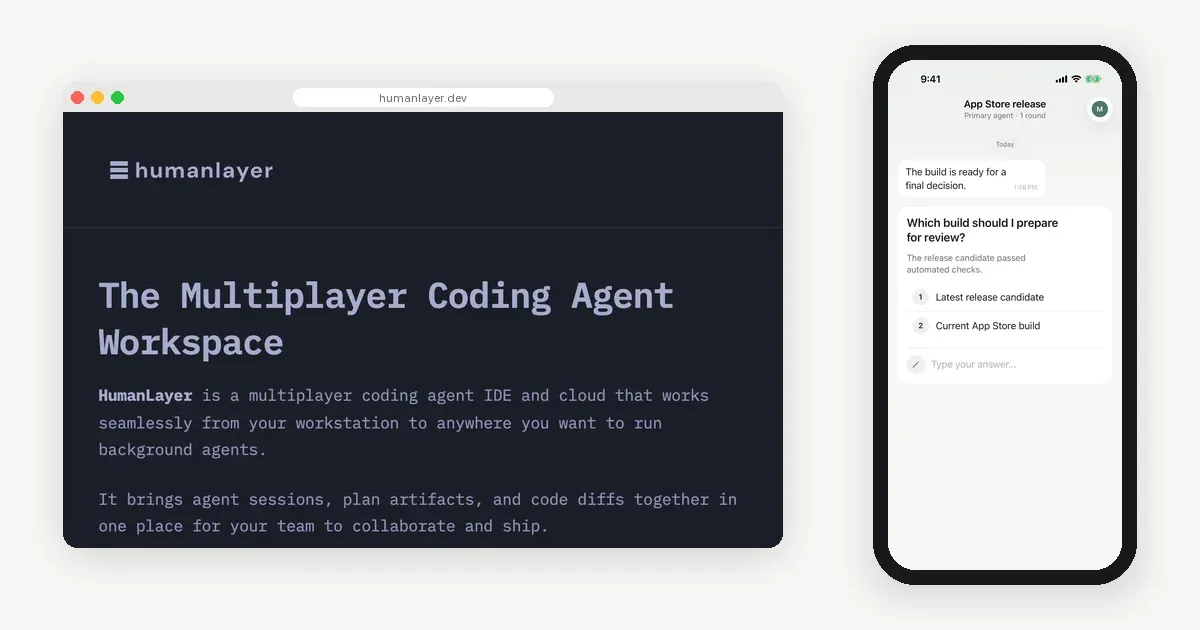
- The HumanLayer homepage headline is "The Multiplayer Coding Agent Workspace". It describes a multiplayer coding agent IDE and cloud that brings agent sessions, plan artifacts and code diffs together for a team.
- The same UI runs on web, desktop or phone, and cloud daemons keep agents working when your laptop is closed.
- Pricing on the homepage: Starter is free for up to 3 team members and 200 sessions a month. Pro is $100 per user per month. Enterprise is custom, with SSO/SAML, audit logs and on-prem or private VPC options.
- The homepage states that HumanLayer is SOC 2 Type II compliant.
- The HumanLayer GitHub README describes running coding agents such as Claude Code, Codex, OpenCode and Pi. Tasks, sessions, plans and reviews sync between a desktop app, a web app and a daemon on each host.
- The last release of the humanlayer Python package on PyPI is 0.7.9, from 2025-06-03.
Why do people look for a HumanLayer alternative?
The reasons we see are factual, not complaints:
- The job changed. If you wanted a small tool that asks a person one question, a coding agent workspace is a bigger product than you need.
- Seat pricing. Beyond 3 members, Pro is priced per user per month.
- The SDK route. If you built on the Python SDK, its last PyPI release was in June 2025, and the README now covers the workspace.

HumanLayer alternatives at a glance
Prices are as listed on each vendor's site on 2026-11-18. Check the linked pages before you decide.
| Notifex | gotoHuman | Pushary | Remote Control | Build your own | |
|---|---|---|---|---|---|
| Best for | An agent that asks you on your phone and waits | Reviews and edits inside automation workflows | Approval rules for your own app's users | Steering a Claude Code session from the phone | Full control in your own stack |
| Where people answer | iPhone and Android app | Web Agent Inbox, email, Slack | Pushary app or a browser | Claude app or claude.ai/code | Whatever you build |
| How agents connect | Remote MCP server | SDKs, n8n and Make nodes, MCP server, API | Hosted MCP server, SDK adapters, API | Built into Claude Code | Framework interrupt plus your code |
| Answer returns to the agent | Yes, as the tool result | Yes, by webhook | Yes, approved or a person's answer | Yes, in the session | If you build it |
| Starting price | Free | Free plan; Team $79/month | $99/month after a 3-day trial | Included in eligible Claude plans | Your time and hosting |
Which HumanLayer alternatives are worth a look?
Each block below stands on its own: what it is, who it suits, the trade-off and the starting price.
Option 1
Notifex
Verdict: the shortest path from "my agent should ask me" to a working loop on your phone.
The agent calls ask_question over MCP and blocks. Your phone gets a push, you tap an option or type a reply, and the agent resumes with your answer. Questions can be single-select, multi-select or free text, up to 10 per push. Agents can attach images, video and documents. Setup is one MCP entry in Claude Code, Cursor, Codex, the Claude.ai connector or ChatGPT.
- Best for: developers and small teams who run coding agents and want to be asked only at decision points.
- Trade-off: it asks and answers; it does not run or host your agents, and it has no review dashboard or SAML single sign-on.
- Starting price: free on the App Store and Google Play.
See how to connect your agent and the iPhone and Android apps.
Option 2
gotoHuman
Verdict: the strongest pick for structured content reviews inside automation pipelines.
The gotoHuman homepage describes custom review types, a web Agent Inbox, email digests and Slack notifications, and results sent back by webhook. Reviewers can edit AI output in place before approving. It ships n8n and Make nodes, JS and Python SDKs, a LangGraph example and an MCP server. Its site does not list a mobile app (2026-11-18).
- Best for: teams that review generated text, images or JSON in n8n or Make workflows.
- Trade-off: review happens in a web inbox, which is more than a quick yes or no from your phone.
- Starting price: free for 1 user and 300 reviews a month with 7-day history; Team is $79 a month for 5 users (gotoHuman pricing, 2026-11-18, excl. VAT).
Option 3
Pushary
Verdict: a good fit when your product needs approval rules for its own end users.
The Pushary human-in-the-loop page describes rules you write once, so repeat decisions settle without a person, with everything else sent to a person who answers in the free Pushary app. It lists a hosted MCP server and adapters for the Vercel AI SDK, LangGraph, Mastra and the OpenAI Agents SDK.
- Best for: builders adding approvals for their own customers, with a policy layer.
- Trade-off: a paid plan aimed at products with many end users, which is more than a solo developer asking themselves.
- Starting price: Partner Launch at $99 a month for up to 5,000 of your users and 25,000 approval requests, after a 3-day trial (2026-11-18).
Option 4
Claude Code Remote Control
Verdict: the natural choice if you only use Claude Code and want the whole session on your phone.
Remote Control connects the Claude app or claude.ai/code to a Claude Code session on your computer. You can read and steer everything, and turn on push for permission prompts and questions.
- Best for: Claude Code users on a claude.ai plan who like to watch and redirect the work.
- Trade-off: Claude Code only, API keys are not supported, and your computer must stay on.
- Starting price: included with Claude Code on Pro, Max, Ultra, Team and Enterprise plans.
We compare it with MCP questions in Claude Code Remote Control vs MCP questions.
Option 5
Build your own
Verdict: right when the approval step is core to your product and you want to own every part.
Agent frameworks can pause for a person. LangGraph interrupts, for example, pause graph execution and wait for external input before continuing. You then deliver the question through Slack, email or a push service, and resume the graph with the reply.
- Best for: teams with unusual review steps, roles or audit needs.
- Trade-off: you build and run delivery, reply matching and the resume step.
- Starting price: no license; you pay in time and hosting.
For more channels, including terminal prompts and auto-approve with logs, see ways to keep a human in the loop.
Where is HumanLayer the better choice?
HumanLayer is the better pick if your team wants to run coding agents together, not only answer them.
- Running agents as a team: tasks, sessions, plans and reviews in one shared workspace.
- Agents that keep going: cloud daemons keep work running when your laptop is closed.
- One place for many agents: it works with Claude Code, Codex and others, with your own model subscriptions.
- Enterprise needs: SSO/SAML, audit logs, on-prem or private VPC, and a stated SOC 2 Type II report.
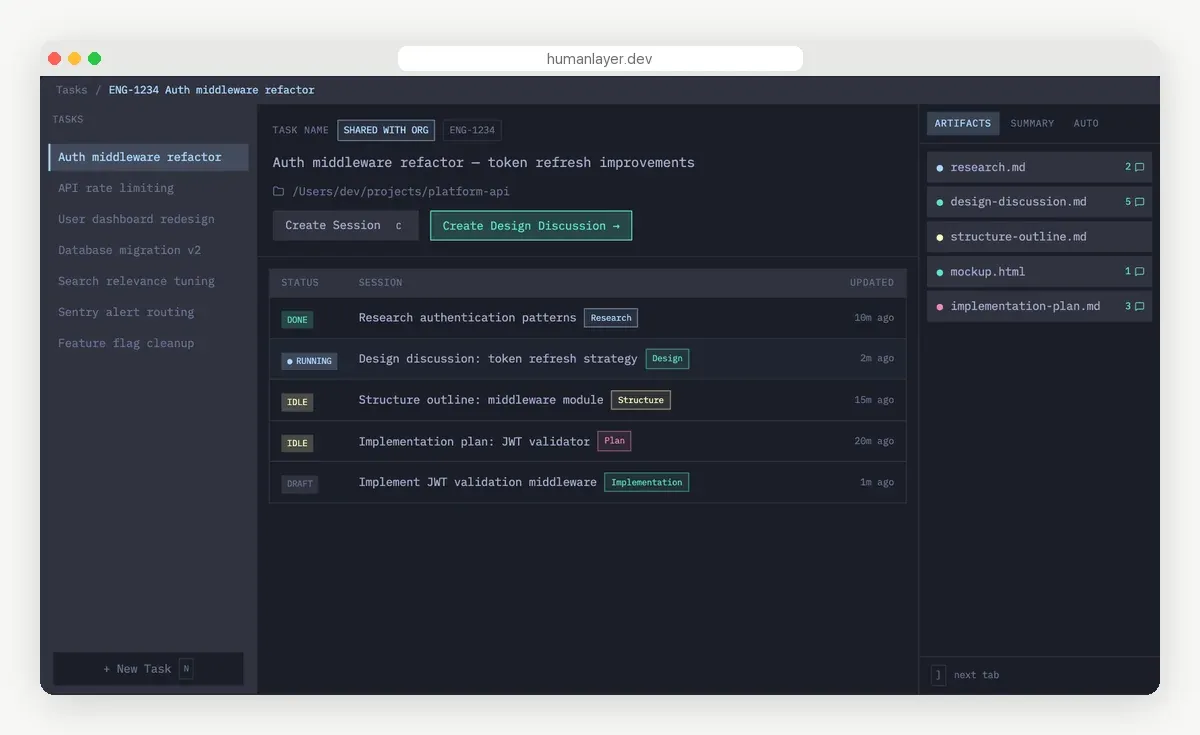
Notifex does none of that. It is a channel for questions, and it pairs fine with a workspace like HumanLayer if your agents run elsewhere.
How do you move an approval step to Notifex?
If your agent used a human approval call before a risky function, the swap is one MCP entry and one instruction.
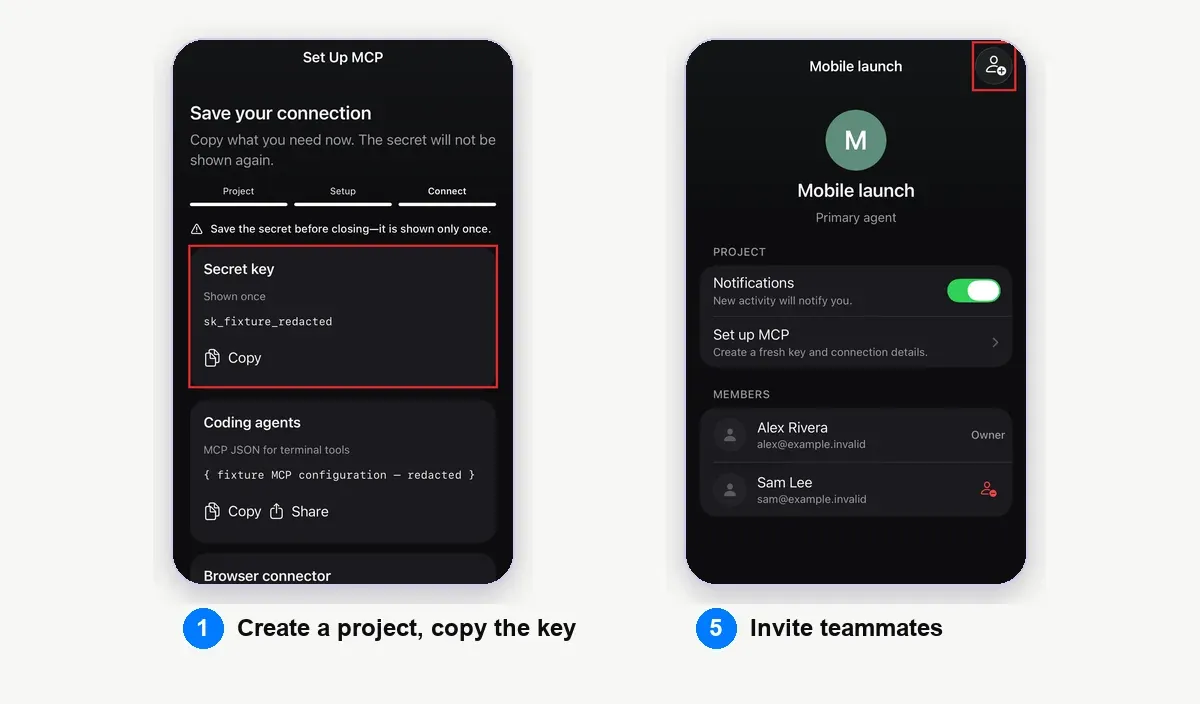
- Install Notifex on your phone and create a project. Copy the secret key; it is shown once.
- Add the Notifex MCP server to your agent, with the key in the Authorization header.
- Replace the approval call with an instruction: ask with ask_question before the risky step, and stop if the answer is no.
- Offer options for the decision, such as "Ship" and "Hold", so the answer comes back as a clean choice.
- Invite teammates to the project if more than one person can approve.
Agents that cannot wait in a tool call, such as browser chats, pass wait=false and pick up the answer later with check_answer.
Quick answers
As of 2026-11-18, HumanLayer's homepage and GitHub README describe a multiplayer coding agent workspace. The last humanlayer release on PyPI is 0.7.9, from 2025-06-03.
For asking a person from a phone, Notifex is free on the App Store and Google Play. gotoHuman has a free plan for 1 user and 300 reviews a month.
Notifex has iPhone and Android apps, and Pushary has its own app. gotoHuman does not list a mobile app on its site as of 2026-11-18.
Yes. Notifex is a remote MCP server, so an agent can ask you through it wherever the agent runs, including sessions you manage elsewhere.
Give your agent someone to ask
Free on the App Store and Google Play. Then add one MCP entry and let your agent ask.