
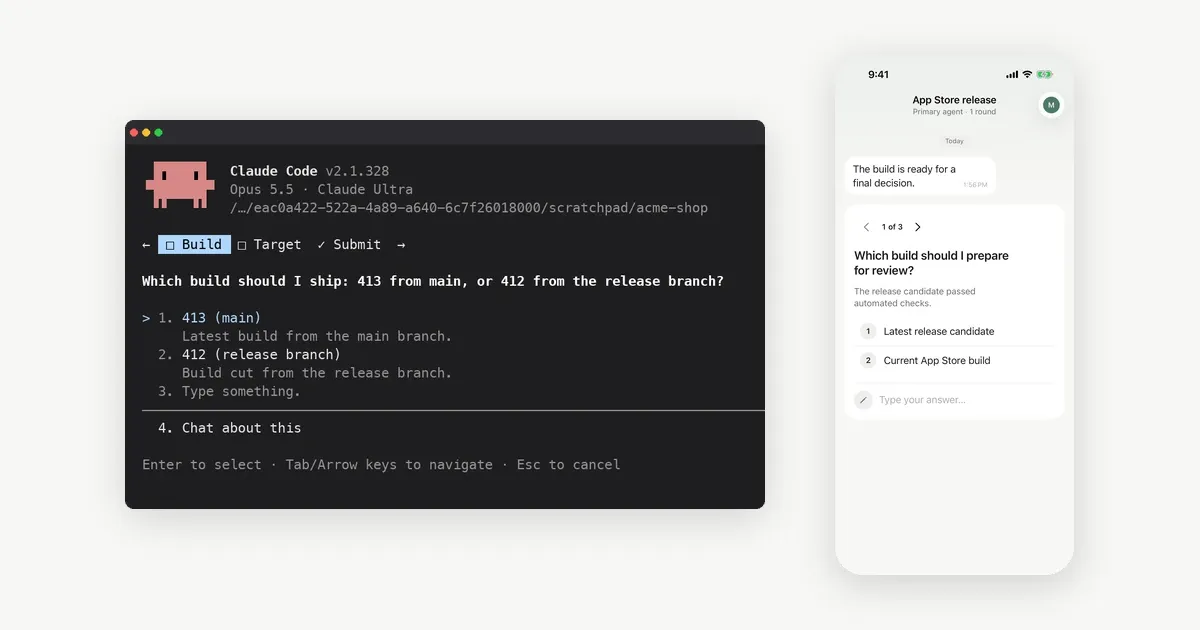
AskUserQuestion is the Claude Code tool that asks you multiple-choice questions in the terminal. It waits until you answer. There are three ways to answer it from your phone. Use Remote Control in the Claude app, or a PreToolUse hook that answers through your own UI. Or tell Claude to ask through an MCP tool such as Notifex instead.
This post explains how AskUserQuestion behaves, what each route needs, and which one fits how you work. Claude Code facts come from Anthropic's docs, read 2026-11-19.
What is AskUserQuestion in Claude Code?
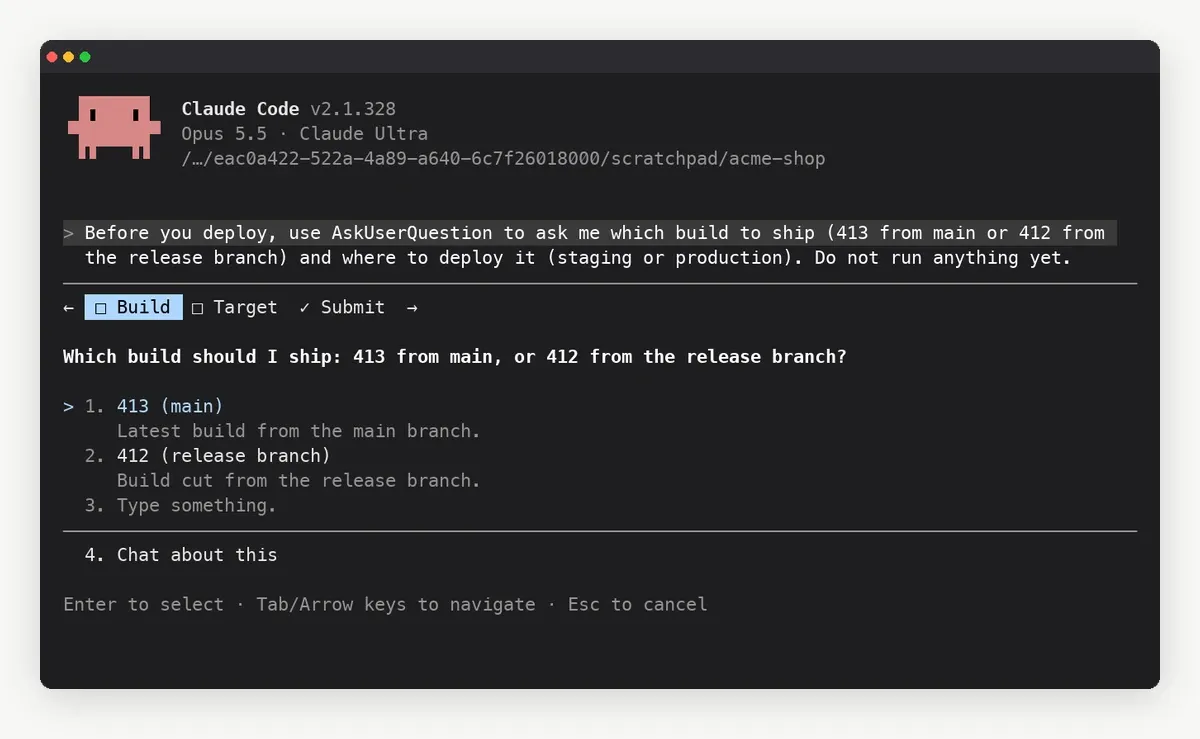
The Claude Code tools reference describes it as the tool Claude uses to ask you multiple-choice questions when it needs a decision or a clarification. You answer by picking an option, or you type your own text in the Other row or the notes field.
The Agent SDK guide to user input gives the shape. Each call carries one to four questions. Each question has a short header of up to 12 characters, two to four options with a label and a description, and a multiSelect flag. The same guide notes that AskUserQuestion is not available in subagents spawned with the Agent tool.
What happens if you are not at the terminal?
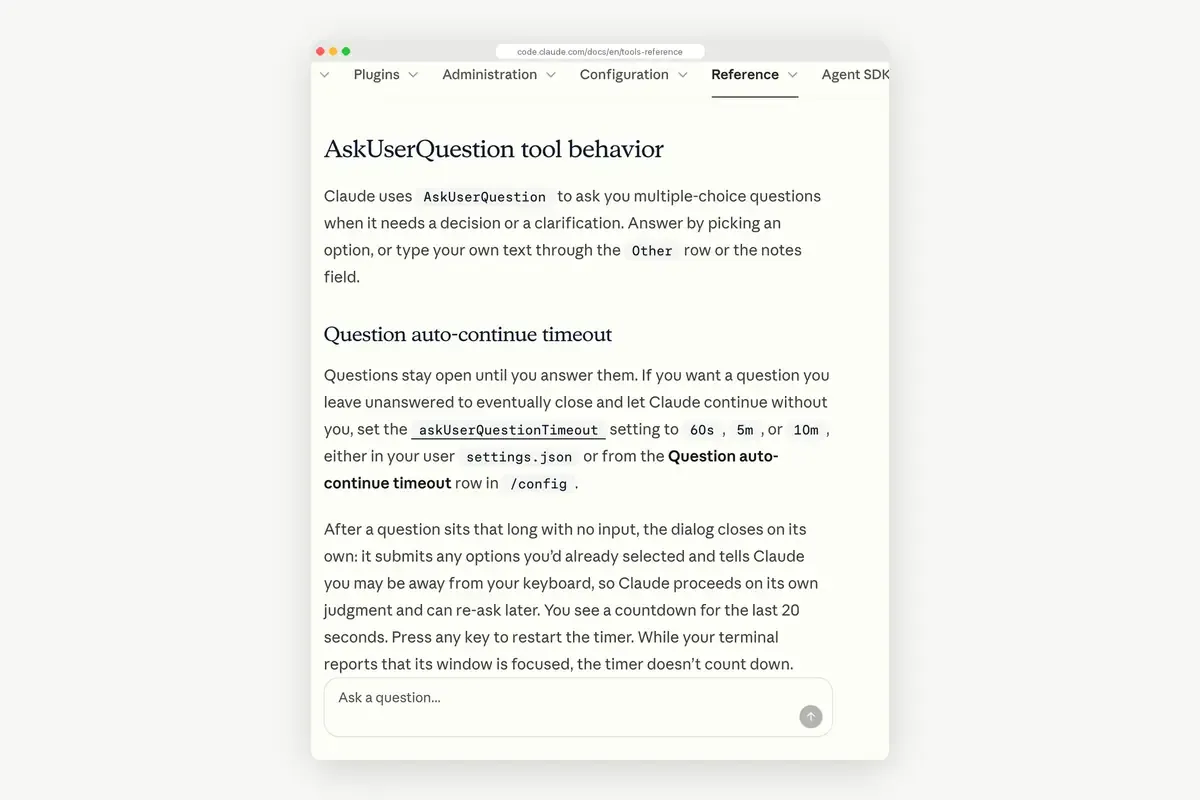
The question stays open. By default, Claude Code waits as long as it takes. You can change that with the askUserQuestionTimeout setting: 60s, 5m or 10m. When the time runs out, the dialog submits any options you had already selected. It tells Claude you may be away, and Claude carries on with its own judgment.
The timer does not start for a question asked in a background session, in screen reader mode, or while the session is connected to Remote Control. Those questions wait for you. The timeout also never applies to permission prompts.
So without a phone route, an unanswered question means one of two things. The run stops until you come back, or Claude decides without you after the timeout.
Route 1: Can Remote Control send AskUserQuestion to your phone?
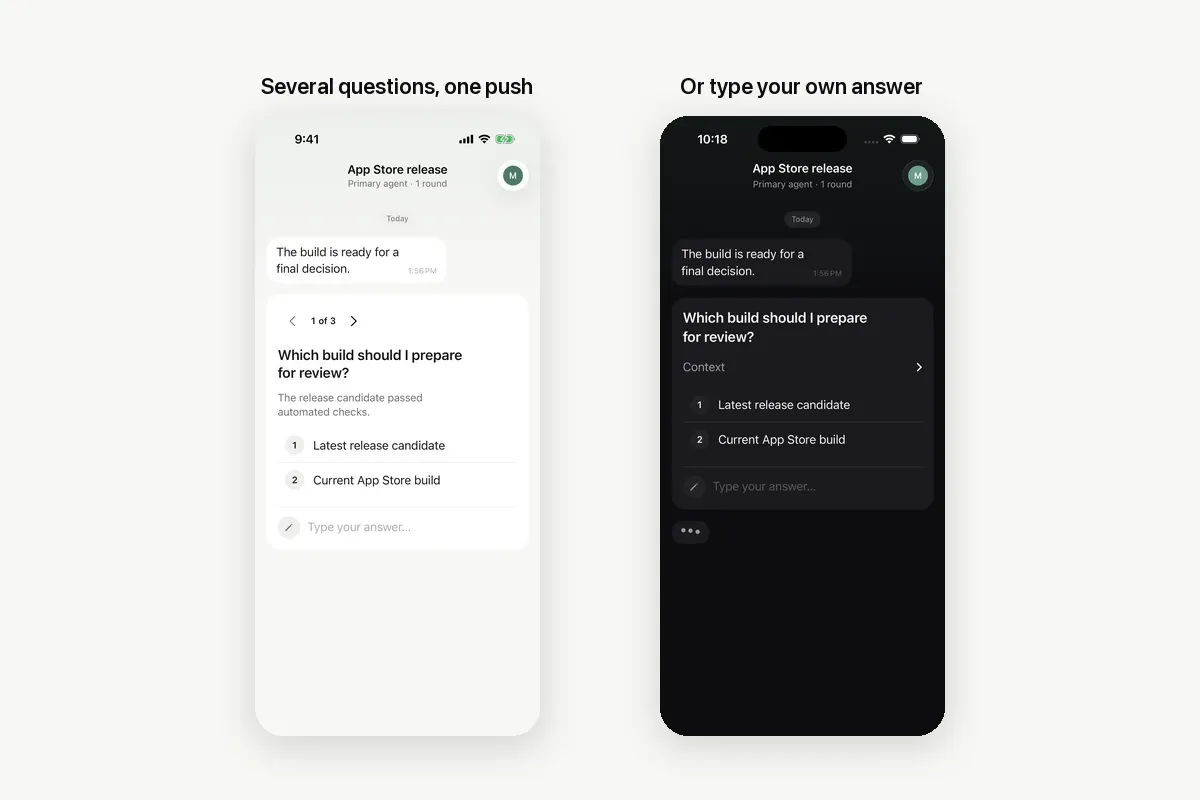
Yes. Remote Control connects the Claude app on iOS or Android, or claude.ai/code, to the session running on your machine. Run /config and turn on Push when actions required. Anthropic's docs say it covers permission prompts and questions.
Check the requirements first. Remote Control works on Pro, Max, Ultra, Team and Enterprise plans, and API keys are not supported. On Team and Enterprise an Owner turns it on. The claude process must keep running on your machine. Claude Code also skips the push while you are typing in or focused on the connected terminal.
Remote Control gives you the whole session on the phone, not only the question. That is its strength. We compare it in detail in Claude Code Remote Control vs asking you over MCP.
Route 2: Can a hook answer AskUserQuestion?
Yes, with your own plumbing. The hooks reference says a PreToolUse hook can match AskUserQuestion, collect the answer through your own UI, and return permissionDecision: "allow" with an updatedInput. That input echoes the questions and adds an answers object, keyed by question text. Returning allow alone is not enough for this tool.
The hard part is the middle step. The hook has to send the questions to your phone, wait for a reply, and read it back. That is a small service you build and run yourself. It suits teams that already have an approval system to plug in. If you would rather buy hook-based approvals than build them, see Notifex vs Pushary for tool call approvals.
Route 3: How does Claude ask you through an MCP tool instead?
Give Claude a second way to ask, and tell it when to use it. Notifex is a remote MCP server for this. Claude calls ask_questions with the same kind of choices, your phone gets one push, and the call waits until you answer. The answers return to Claude as the tool result.
- Install Notifex on your iPhone or Android device. It is free on both stores.
- Create a project and copy its secret key. It is shown once.
- Add the server with the command below, using your key.
- Run
/mcpand check that notifex is connected. - Add a rule to
CLAUDE.md, such as the line after the command.
claude mcp add --transport http notifex https://mcp.notifexapp.com/mcp \ --header "Authorization: Bearer <YOUR_API_KEY>"
A rule that works: "For deploys, migrations and design choices, ask me with Notifex instead of AskUserQuestion, and wait." The Claude Code setup page has the same entry as JSON for .mcp.json.
One Claude Code detail helps here. Its MCP docs say an MCP call that runs longer than two minutes moves to a background task, so you can keep using the session while the question waits. If a call ever drops, the question stays open, and wait_for_answer picks it up again.
| AskUserQuestion | Notifex ask_questions | |
|---|---|---|
| Questions per call | 1 to 4 | Up to 10 in one push |
| Options per question | 2 to 4, plus your own text | Up to 20, or free text, plus your own text |
| Where you answer | The terminal, or the Claude app with Remote Control | The Notifex app on iPhone or Android |
| Who can answer | You, in that session | Any member of the project; the first answer wins |
| Files with the question | Text options; the Agent SDK can add option previews | Images, video or PDFs the agent uploads |
| Works in other clients | Claude Code and the Agent SDK | Any MCP client, such as Codex, Cursor or ChatGPT |
Which route should you pick?
- You want to steer the whole session from your phone: Remote Control. It is Anthropic's own feature, needs no extra server, and handles permission prompts as well as questions. Where it fits, it is the better choice.
- You already run an approval system: a PreToolUse hook that forwards AskUserQuestion to it.
- You want only the decisions on your phone, from any MCP client: Notifex ask_questions. It also covers teammates who answer for you, and files the agent wants you to see.
You can mix them. Some people keep AskUserQuestion for quick choices while they sit at the desk, and a CLAUDE.md rule sends the important ones to Notifex when they step away. For other ways to reach your phone, see Claude Code on your phone. Notifex also connects to Cursor, Codex and ChatGPT, as listed on the setup page for other agents.
Quick answers
It is a built-in tool that asks you one to four multiple-choice questions in the terminal. You pick an option or type your own answer.
Not by default. Questions stay open until you answer. The askUserQuestionTimeout setting can close them after 60 seconds, 5 minutes or 10 minutes.
Yes, through Remote Control with Push when actions required turned on, or through a PreToolUse hook you connect to your own app.
Notifex sends the question to your phone from any MCP client, takes up to 10 questions per push, lets a teammate answer, and can attach files.
Give your agent someone to ask
Free on the App Store and Google Play. Then add one MCP entry and let your agent ask.