
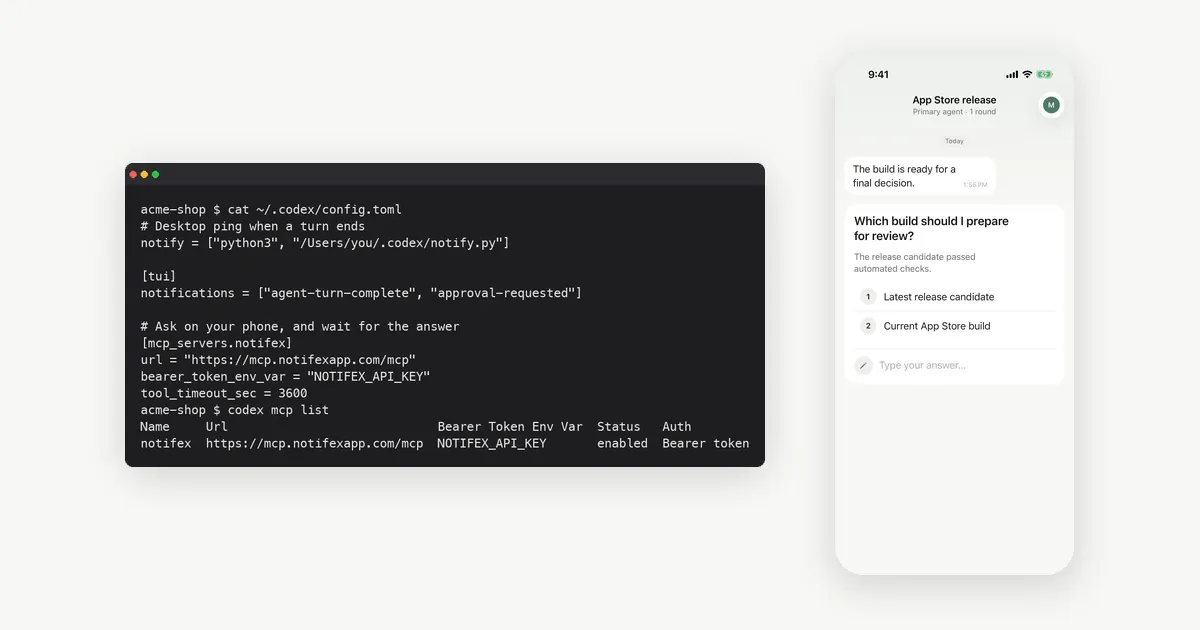
Codex notifications come in three kinds. The notify setting runs your own program when a turn ends. TUI notifications ping the terminal when a turn ends or Codex needs approval. Hooks run scripts at points such as Stop and PermissionRequest. All three send a message out. None of them carries your answer back to Codex.
If you want Codex to ask you on your phone and continue with your reply, you need a tool that asks and waits. That is an MCP server such as Notifex. The step-by-step setup is on the Codex setup page. This post explains what each built-in option does, why a ping sometimes never reaches you, and when an MCP question is the better fit. Facts about Codex come from OpenAI's docs, read 2026-11-19.
What notifications does Codex have built in?
The Codex advanced configuration docs describe two settings. notify runs an external program, and Codex passes it one JSON argument. tui.notifications is built into the terminal UI and can be limited to event types such as agent-turn-complete and approval-requested.
Two more settings shape the TUI ping. tui.notification_method takes auto, osc9 or bel. tui.notification_condition takes unfocused or always. The configuration reference says the condition defaults to unfocused.
| Option | Fires when | Reaches you | Can you answer from it? |
|---|---|---|---|
| notify in ~/.codex/config.toml | A turn completes (agent-turn-complete only) | Wherever your script sends it | No, it runs your program and stops |
| tui.notifications | Turn complete or approval requested, by default only while the terminal is unfocused | The terminal on your computer | No, you answer in the terminal |
| Stop hook | A turn stops | Wherever your hook script sends it | No, unless you build the reply path |
| PermissionRequest hook | Codex is about to show an approval prompt | Wherever your hook script sends it | The hook can allow or deny, by its own rules |
| MCP question (Notifex ask_question) | Codex decides it needs a person | A push on your iPhone or Android phone | Yes, the answer is the tool result |
How does the notify setting work?
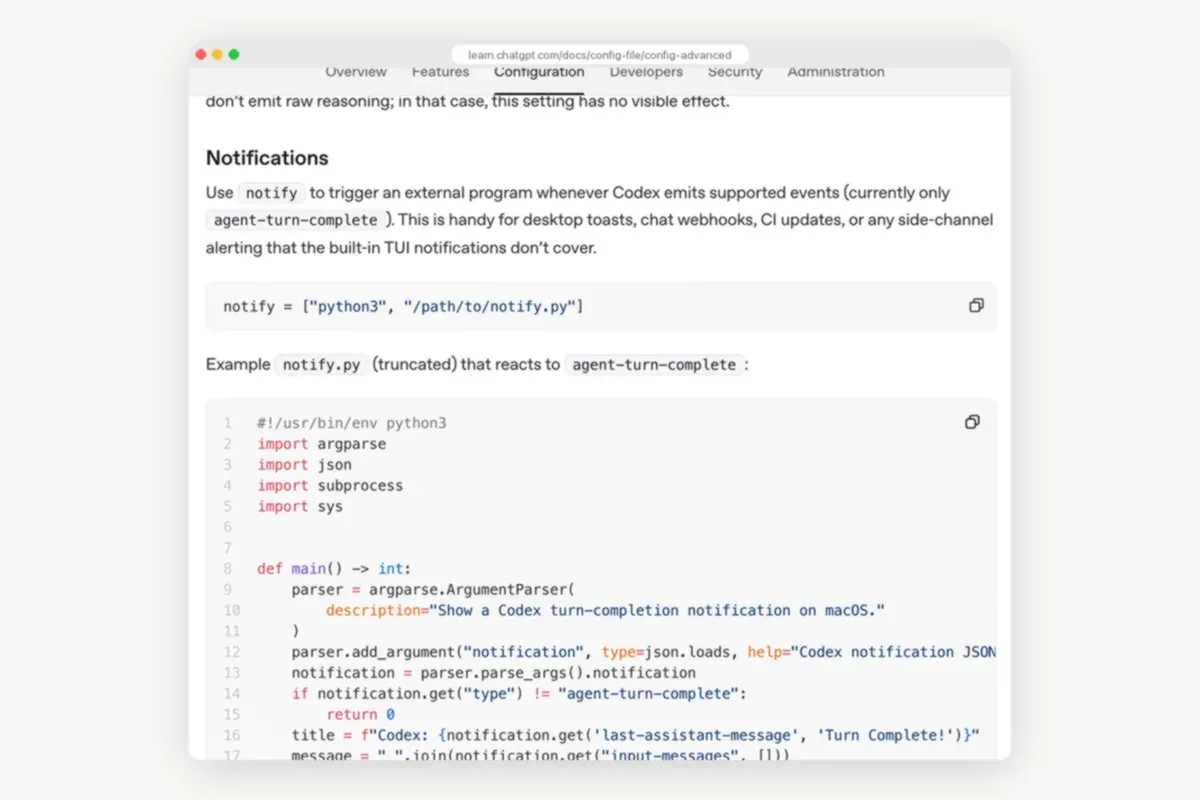
You point notify at a command, written as an array, for example notify = ["python3", "/path/to/notify.py"]. Codex runs it with a single JSON argument when a turn completes. The docs list the common fields: type, thread-id, turn-id, cwd, input-messages and last-assistant-message.
The example script in the docs exits unless type is agent-turn-complete, then shows a macOS notification with terminal-notifier. Two details trip people up:
- Only one event.
agent-turn-completeis the only supported event, so notify will not tell you that Codex is waiting for approval. - User config only. A project
.codex/config.tomlcannot set notify. Put it in~/.codex/config.toml.
To reach your phone, make the script post to a push service instead of a desktop banner. With ntfy that is one HTTP request, as the ntfy publishing docs show. We compare that route in ntfy vs Pushover for AI coding agents.
What can Codex hooks add?
Hooks run scripts or MCP tools at fixed points in a session. The Codex hooks docs list events such as PreToolUse, PermissionRequest, PostToolUse, UserPromptSubmit, Stop, SessionStart and SessionEnd. You define them in hooks.json or in inline [hooks] tables in config.toml, at user level or inside a repository.
Two events matter for notifications. Stop runs when a turn stops, so it can send a done ping. PermissionRequest runs when Codex is about to ask for approval, before the prompt appears. It can allow or deny the request, or let the normal approval flow continue. Project hooks load only when the project's .codex/ layer is trusted.
A PermissionRequest hook decides by rules you write. If you want a person to make that call from a phone, you build the round trip yourself. Send the request out, wait, read the reply and return it. That is the plumbing an MCP question already includes.
Why do Codex notifications not reach your phone?
Most missing pings have one of these causes:
- The TUI ping is local. tui.notifications use OSC 9 or a terminal bell. They show up on the computer that runs the terminal, never on your phone.
- The terminal was focused. With the default
unfocusedcondition, the TUI stays quiet while you look at it. Setalwaysto change that. - notify sits in the wrong file. A project config cannot set it. Move it to
~/.codex/config.toml. - The script ignores its argument. notify passes the JSON as one argument. A script that reads stdin sees nothing.
- You expected an approval ping from notify. It only fires on agent-turn-complete. Use the TUI setting or a PermissionRequest hook for approvals.
How do you answer Codex from your phone?
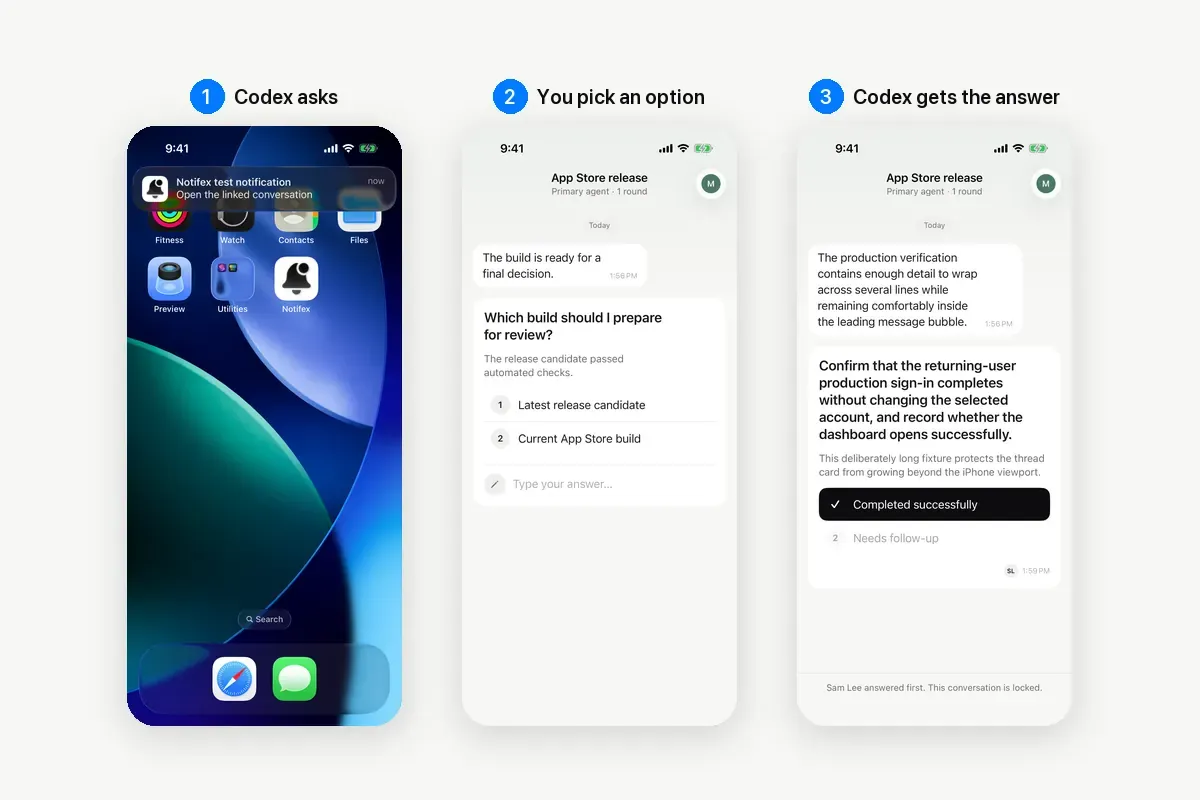
Give Codex an MCP tool that asks a person. Notifex is a remote MCP server for that job. Codex calls ask_question, your phone gets a push, and the call waits until someone answers. Your answer returns to Codex as the tool result, and the run continues.
- Install Notifex on your iPhone or Android phone. It is free on both stores.
- Create a project and copy its secret key. It is shown once.
- Add a
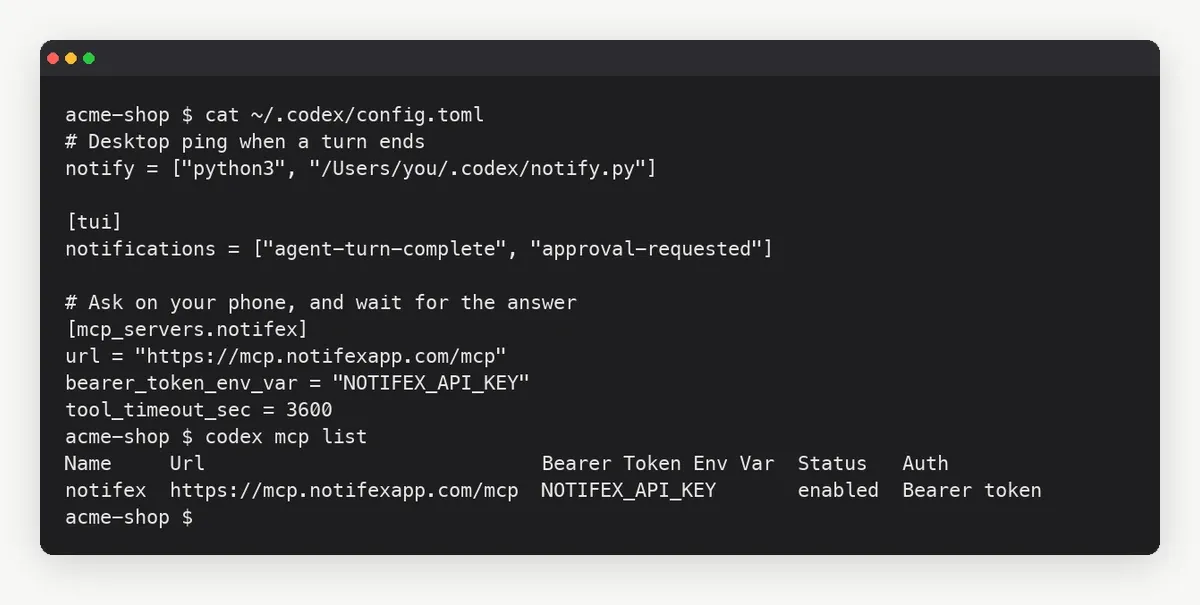
[mcp_servers.notifex]table to~/.codex/config.tomland setNOTIFEX_API_KEYin your shell. - Run
codex mcp listand check that notifex is enabled. - Tell Codex in
AGENTS.mdwhen to ask you and when to send a done message.
[mcp_servers.notifex]url = "https://mcp.notifexapp.com/mcp"bearer_token_env_var = "NOTIFEX_API_KEY"tool_timeout_sec = 3600
The tool_timeout_sec line matters. The Codex MCP docs give a 60 second default for a tool call, and ask_question waits until you answer. One hour gives you time. For longer waits, Codex can ask with wait=false, get a question id back at once, and check later with check_answer. The question stays open in your inbox either way.
The full walkthrough, with the shell line for your key and an AGENTS.md snippet, is on the Notifex page for Codex. The same server works in other clients too. If you also run Claude Code, the Claude Code setup uses the same endpoint, and the setup page for every client lists the rest.
Can Codex tell you it is done and also ask?
Yes. Keep a built-in ping for "done", and use the MCP question for "which one?". Codex can also send a plain update with send_message when it finishes. That message lands in the same thread on your phone, next to any question it asked.
- Turn finished, nothing to decide: notify or a Stop hook, sent to a desktop banner or a push service.
- Waiting on an approval while you sit nearby: tui.notifications with approval-requested.
- A decision Codex should not guess: ask_question, so your phone buzzes and Codex waits for your answer.
- Several decisions at once: ask_questions sends up to 10 questions in one push.
Which option should you set up first?
Start with the place you will be when Codex stops. At your desk, the TUI setting is enough. Away from it, a notify script that posts to a push service tells you a turn ended. When Codex needs a real decision, an MCP question is the only option here that brings your answer back without extra code.
A common setup uses two of them. notify sends a short done ping. Notifex handles questions, and its thread keeps a record of who answered what. For the same split in Claude Code, see Claude Code notification when done.
Quick answers
Yes. Set notify in ~/.codex/config.toml to run a program on agent-turn-complete, or turn on tui.notifications for a terminal ping.
No. notify only fires on agent-turn-complete. Use tui.notifications with approval-requested, or a PermissionRequest hook.
Codex gives MCP tool calls 60 seconds by default. Raise tool_timeout_sec for the Notifex server, or ask with wait=false and check back with check_answer.
On the Notifex page for Codex at /codex. It has the config.toml table, the shell line for your key and an AGENTS.md snippet.
Give your agent someone to ask
Free on the App Store and Google Play. Then add one MCP entry and let your agent ask.