
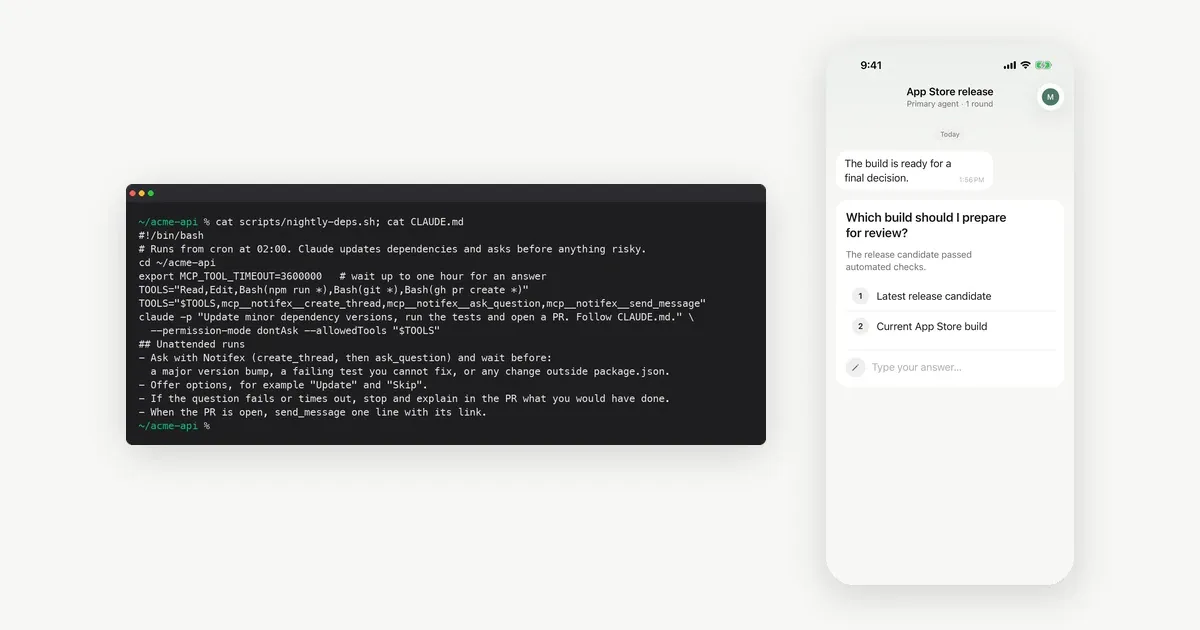
Human in the loop automation means an unattended agent still gets a person's decision at the few steps that need one. You sort every action into three groups: allowed, denied, and ask a person. Then you send the "ask" group somewhere a person will see it, and you decide what happens if nobody answers.
This post covers agents that run from cron, CI or a background job, with nobody at the terminal. For where to put the checkpoints, see 8 examples of when an agent should ask, and for the term itself, the glossary definition of human in the loop. We make Notifex, which carries the questions to a phone in the example below. Tool facts were checked in each vendor's docs on 2026-11-19.
What happens to a permission prompt when nobody is watching?
It cannot be answered, so the tool decides for you. Two common coding agents handle it like this:
- Claude Code. In a
claude -prun with nothing to answer a prompt, Claude Code denies the call, as its permissions docs explain. The headless docs show--allowedToolsto pre-approve tools, and--permission-mode dontAskto deny everything not pre-approved. - Codex. The codex exec docs say it runs in a read-only sandbox by default. You widen access only as far as the job needs.
Both defaults are safe. They also mean a risky step does not happen at all, even when you would have said yes. The job fails or skips, and you find out in the morning.
How do you sort an agent's actions for automation?
Write three lists before the first run.
- Allow. Cheap, reversible steps inside the job's own scope: reading files, editing in a branch, running tests.
- Deny. Steps this job should never take: force pushes, production deploys, deleting data.
- Ask. Steps that are fine sometimes and wrong other times: a major version bump, a failing test the agent cannot fix, a change outside the expected files.
The allow list goes into the tool's permission settings. The deny list goes there too, or stays out of reach because the tool is never allowed. The ask list is the part that needs a person, and it should be short. If it grows past a handful of items, the job is too broad to run alone.
How does an unattended agent ask a person?
Give it a question tool that reaches a phone. Notifex is a remote MCP server: the agent calls ask_question with options, your phone gets a push, and the answer returns to the agent as the tool result. In a headless Claude Code run, you allow the Notifex tools by name, the same way as any other tool.
The example below runs a nightly dependency update. The script allows npm, git, opening a pull request and three Notifex tools, and denies everything else with dontAsk. CLAUDE.md names the steps that need a question.
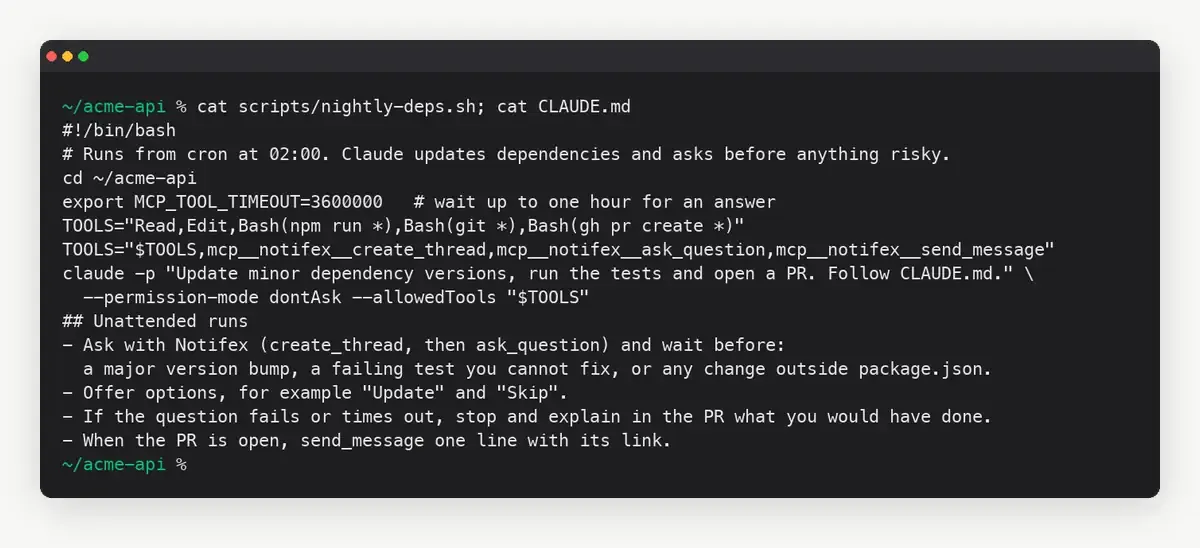
Two settings decide how long the agent may wait. In Claude Code, MCP_TOOL_TIMEOUT sets how long an MCP tool call may run, per the environment variable docs. For an HTTP server, each request also times out after 60 seconds unless you raise this value above 60000. In Codex, tool_timeout_sec in the server's config does the same job. If the agent cannot wait at all, call ask_question with wait=false and pick up the answer later with check_answer.
Setup for the MCP entry is on the Claude Code page and, for other agents, the setup page for each client.
What should happen when nobody answers?
Decide this in advance and write it into the instructions. A safe fallback has three parts:
- No answer is never yes. If the question times out, the risky step does not run.
- Finish what is safe. The agent completes the allowed work and leaves the risky step undone.
- Leave a record. The pull request or log says what the agent would have done and why it stopped.
CI systems use the same idea for deploys. In GitHub environments, a job with required reviewers waits for one of them to approve before it runs. A wait timer can delay a job by up to 30 days. The job does nothing on its own while it waits.
How do agent frameworks pause for a person?
If you build the agent yourself, the framework usually has a pause built in. Your code then delivers the question and resumes the run with the answer.
- LangGraph. Interrupts pause a graph inside a node with
interrupt(). A checkpointer saves the state, andCommand(resume=...)passes the answer back in, even much later. - OpenAI Agents SDK. The human-in-the-loop guide marks tools with
needs_approval. A paused run returns interruptions, andRunStatecan be saved and resumed after a person approves or rejects.
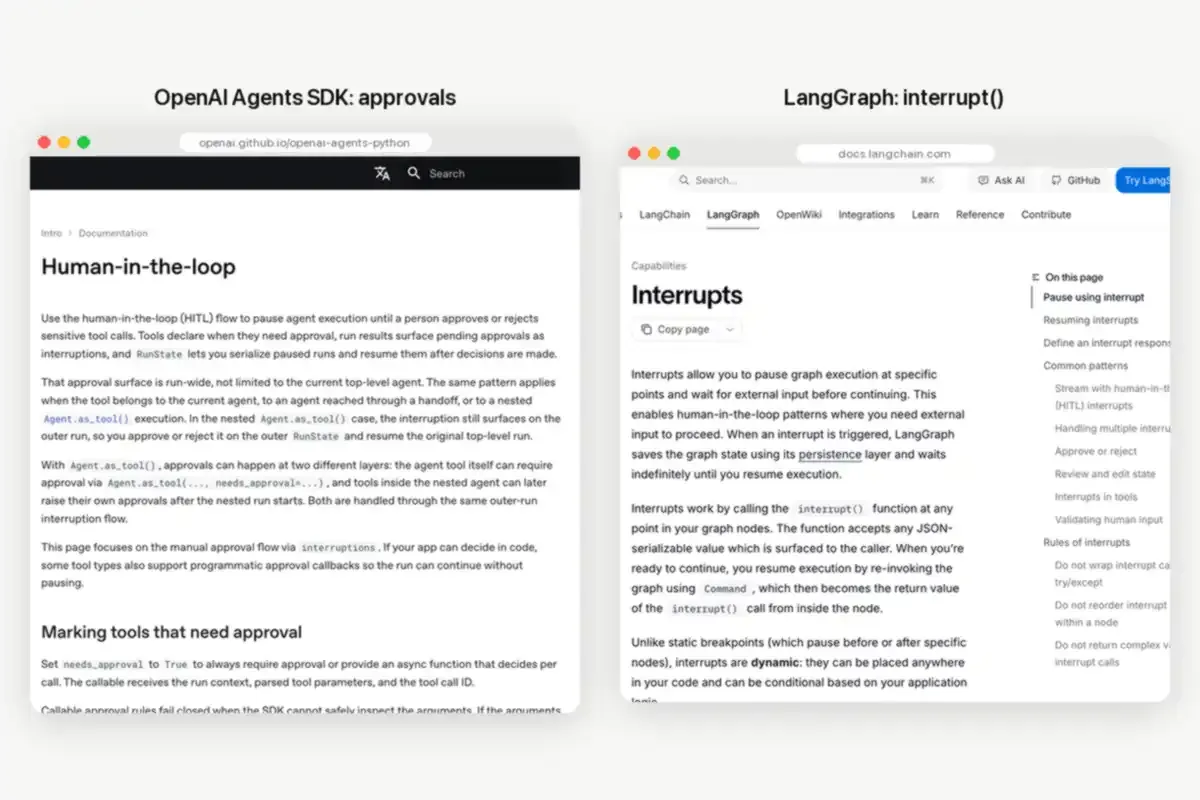
Both frameworks leave delivery to you. The question still has to reach a person who is not at a screen. That is where a push to a phone fits, from your own code or through an MCP tool the agent calls. For hosted services that do this, see HumanLayer alternatives for asking a human.
What does a night of human in the loop automation look like?
Here is the dependency job from above, step by step.
- At 02:00, cron starts the script. Claude reads the repo and updates minor versions.
- Tests pass for all but one package. One update is a major version, which
CLAUDE.mdputs on the ask list. - Claude creates a Notifex thread and asks: "Upgrade the date library from v3 to v4? 12 call sites change." with Update and Skip.
- Your phone gets the push at night. You are asleep, so the question waits in your inbox.
- The tool times out at the limit you set. Claude skips the major bump, opens the pull request with the safe updates, and lists the skipped item.
- In the morning you answer, or you take it from the pull request.
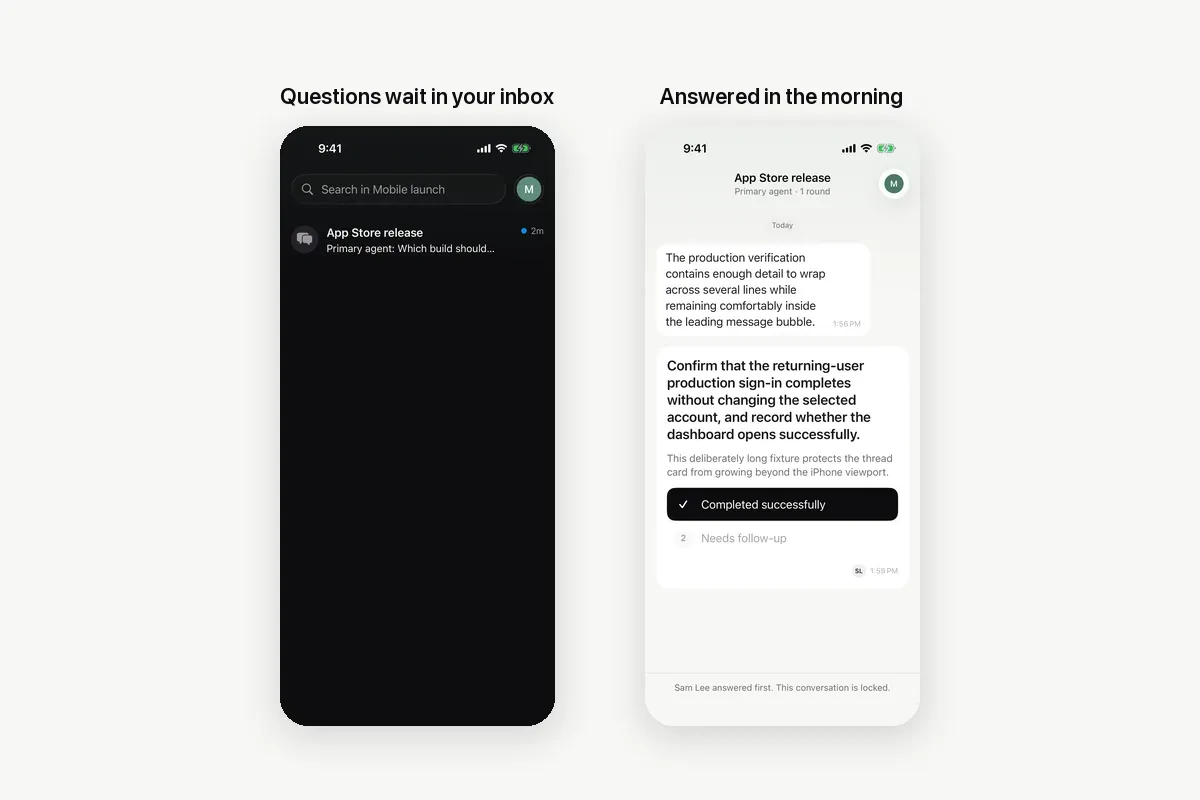
If you answer within the window, the run continues with your choice instead. In a team project every member gets the push, and the first answer wins. So the person on call can answer while you sleep.
Checklist for human in the loop automation
- The job has one clear goal, and its allow list matches that goal.
- Dangerous tools are denied, not only left out of the instructions.
- The ask list names steps, such as "major version bump", rather than "anything risky".
- Questions offer options, so the answer is a clean choice.
- The wait has a limit, and "no answer" leads to a safe skip.
- The output records what was asked, what was answered and what was skipped.
A CLAUDE.md section like this one covers the last four points:
## Unattended runs- Ask with Notifex (create_thread, then ask_question) and wait before a major version bump.- Offer options, for example "Update" and "Skip".- If the question fails or times out, skip the step and explain it in the pull request.
Notifex is free on the App Store and Google Play: the Notifex iPhone app and the Notifex Android app. For a person watching instead of answering, read how human on the loop differs.
Quick answers
Automation where an unattended agent or workflow stops at named steps, asks a person, and continues with the answer. Everything else runs on its own.
In a claude -p run with nothing to answer a prompt, Claude Code denies the call. Pre-approve the tools the job needs with --allowedTools.
As long as its tool timeout allows. In Claude Code, raise MCP_TOOL_TIMEOUT; in Codex, set tool_timeout_sec. With Notifex, wait=false and check_answer avoid a long wait.
Skip the risky step, finish the safe work, and record what it would have done. No answer should never count as approval.
Give your agent someone to ask
Free on the App Store and Google Play. Then add one MCP entry and let your agent ask.