

Human in the loop means a person must approve or answer before an AI agent takes a step. Human on the loop means the agent acts on its own while a person watches and can step in or stop it. The difference is timing: in the loop, the person acts before the step; on the loop, during or after it.
Both are ways to keep a person in charge of an agent. They cost different things and catch different mistakes. This post defines each, shows them side by side, and explains how to mix them in one agent run.
What does human in the loop mean for AI agents?
In a human-in-the-loop setup, the agent stops at set decision points and waits for a person. Nothing past that point runs until the person answers. Our human-in-the-loop glossary entry has the short definition.
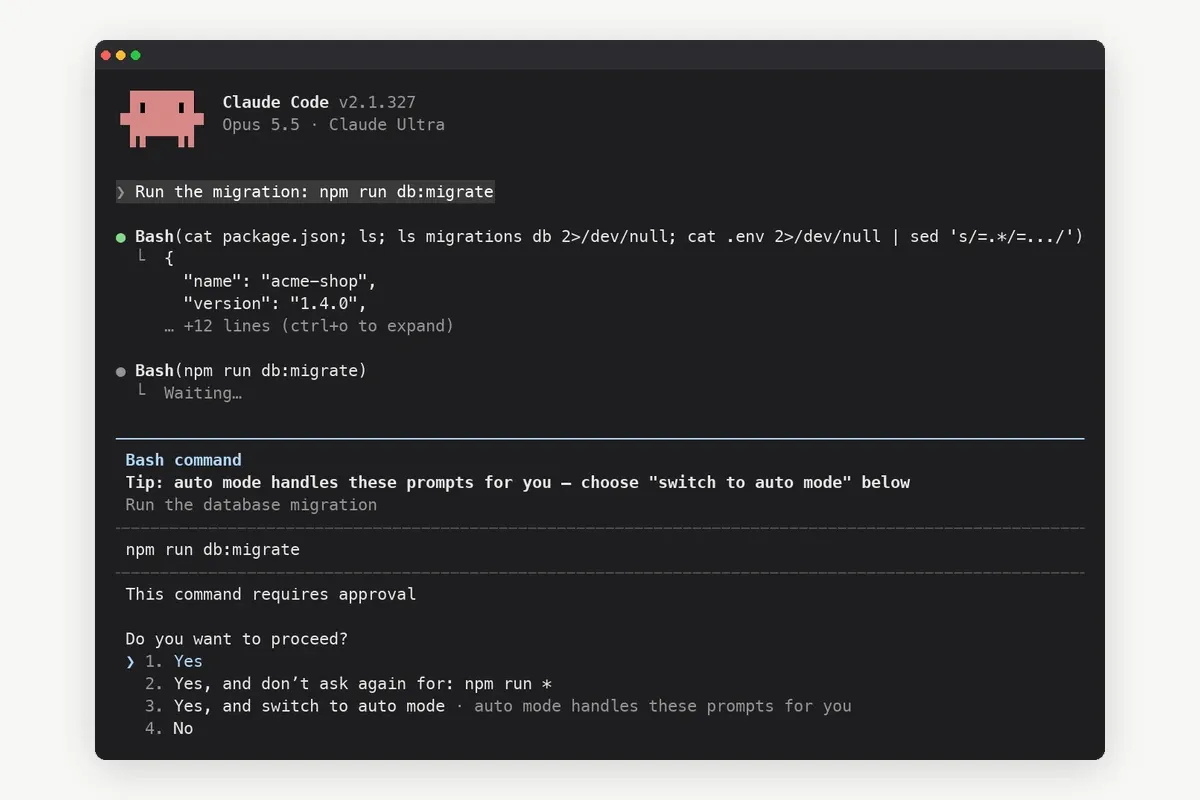
For a coding agent, a decision point is often a permission prompt: "Run this migration?" It can also be a real question: "Ship build 412 or 413?" The person is part of the control flow. The run cannot finish without them.
Anthropic describes this pattern in Building effective agents: agents can pause for human feedback at checkpoints or when they hit blockers.
What does human on the loop mean?
In a human-on-the-loop setup, the agent does not wait. It acts, and a person supervises. The person can watch progress, read logs, change course or stop the run. If nobody intervenes, the agent finishes on its own.
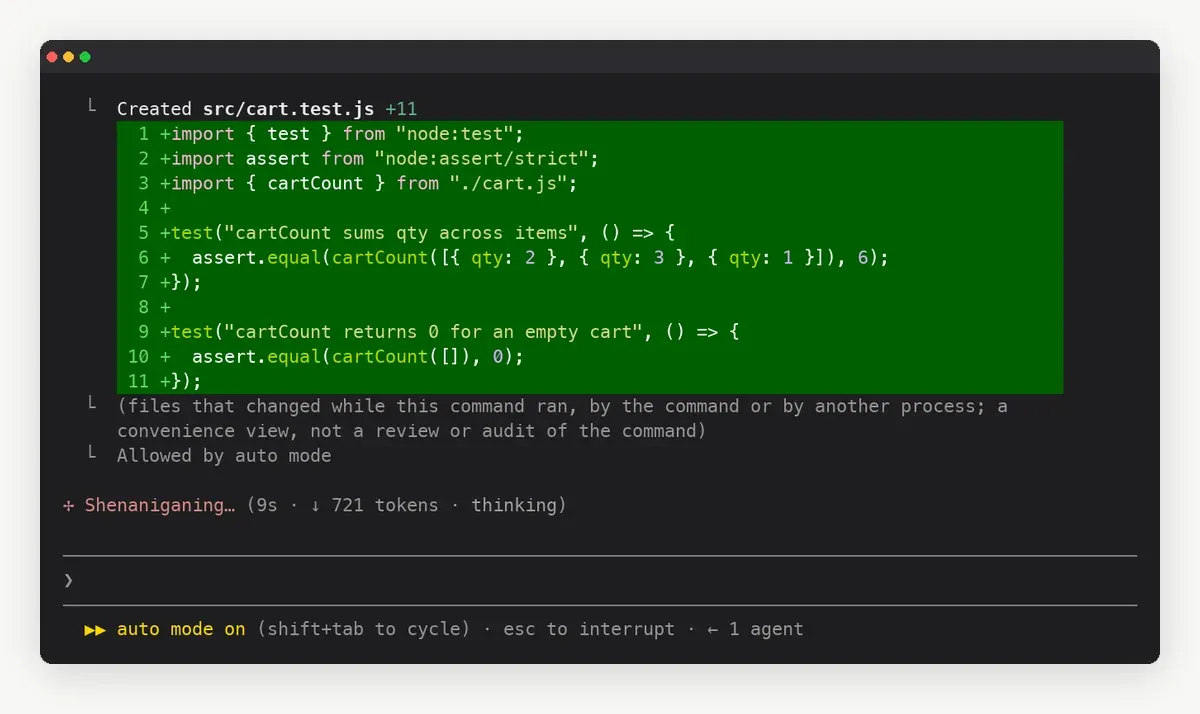
The person is outside the control flow but holds an off switch. That is faster, and it moves the risk: a mistake is caught after it happens, if it is caught at all.
The EU AI Act, Article 14 describes oversight in these terms for high-risk systems. The people overseeing must be able to override the output, intervene, or interrupt the system through a "stop" button or a similar procedure that brings it to a safe halt.
What is the difference between human in the loop and human on the loop?
The table adds a third option, human out of the loop, because most agent tools offer all three.
| Human in the loop | Human on the loop | Human out of the loop | |
|---|---|---|---|
| When the person acts | Before the step runs | While or after it runs | Not during the run |
| Does the agent wait? | Yes, at each decision point | No; it can be stopped | No |
| Speed | Slowest; bound by how fast you answer | Fast | Fastest |
| Typical failure | The run stalls on an unseen prompt | A wrong step runs before anyone looks | Nobody notices a wrong step |
| Best for | Steps that are hard to undo | Steps that are easy to undo and review | Sandboxed, low-stakes work |
| Claude Code example | Manual mode: Claude asks before most edits and commands | Auto mode: a classifier reviews actions and you watch | bypassPermissions, meant for isolated containers and VMs |
The Claude Code row uses the modes in the Claude Code permission modes docs. Manual mode stops and asks before most actions that edit files, run shell commands or reach the network. In auto mode, a second model reviews actions instead of you. Anthropic's table lists bypassPermissions for isolated containers and VMs only.
When should an agent keep a human in the loop?
Put a person in the loop when a wrong step is expensive or hard to reverse. Typical cases:
- Production changes: deploys, database migrations, infrastructure edits.
- Deletes: files, branches, records, cloud resources.
- Anything that reaches other people: emails to customers, posts, messages in shared channels.
- Money: purchases, refunds, paid API usage above a limit you set.
- Real ambiguity: two valid approaches where the choice is yours, such as which library or which name.
In each case the cost of waiting is small next to the cost of a wrong guess.
When is human on the loop enough?
On the loop works when you can see what happened and undo it cheaply. File edits on a branch you will review, test runs, read-only research and drafts all fit. Version control is the safety net: if the agent goes wrong, you reset the branch.
The risk is attention. Supervision only works if someone looks. An agent that runs for an hour while you are away is closer to out of the loop than on it, unless something tells you to look.
How do you mix both in one agent run?
Most real setups use both. The agent runs on the loop by default and switches to in the loop at named checkpoints. You get speed on the routine steps and a hard stop on the risky ones.
- List the steps that are hard to undo for this project: deploy, migrate, delete, publish.
- Let the agent run the rest without asking, in a mode you trust, such as auto mode in Claude Code.
- Tell the agent to ask a person before each listed step, and to wait for the answer.
- Make sure the question reaches you where you are, not only in a terminal you left.
- Keep a record of what was asked and who answered.
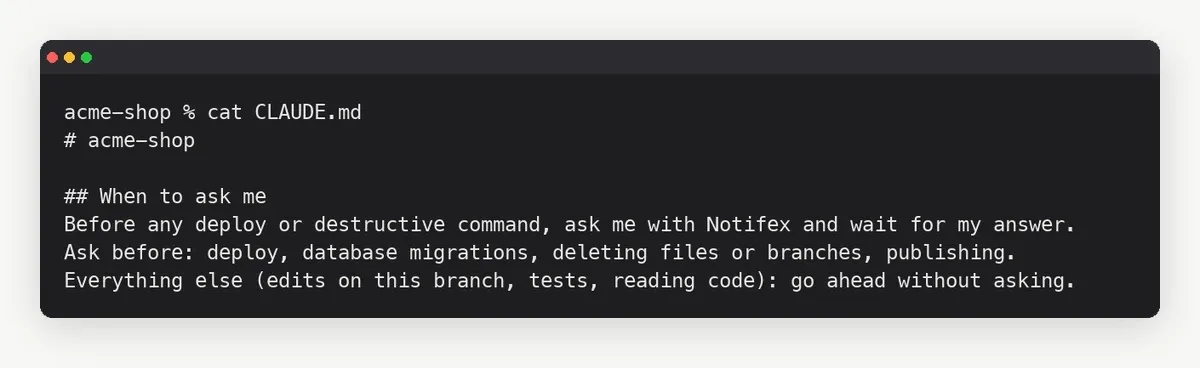
Step 4 is where many setups break. A permission prompt in a terminal keeps a human in the loop only while the human is at that terminal.
How does Notifex keep a human in the loop away from the desk?
Notifex is a remote MCP server for step 3 and step 4. The agent calls ask_question and blocks. Your phone gets a push, you pick an option or type a reply, and the agent resumes with your answer. The setup for each client is on the page for connecting your agent. It works on iPhone and Android, and with any MCP client, including Claude Code, Cursor and Codex.
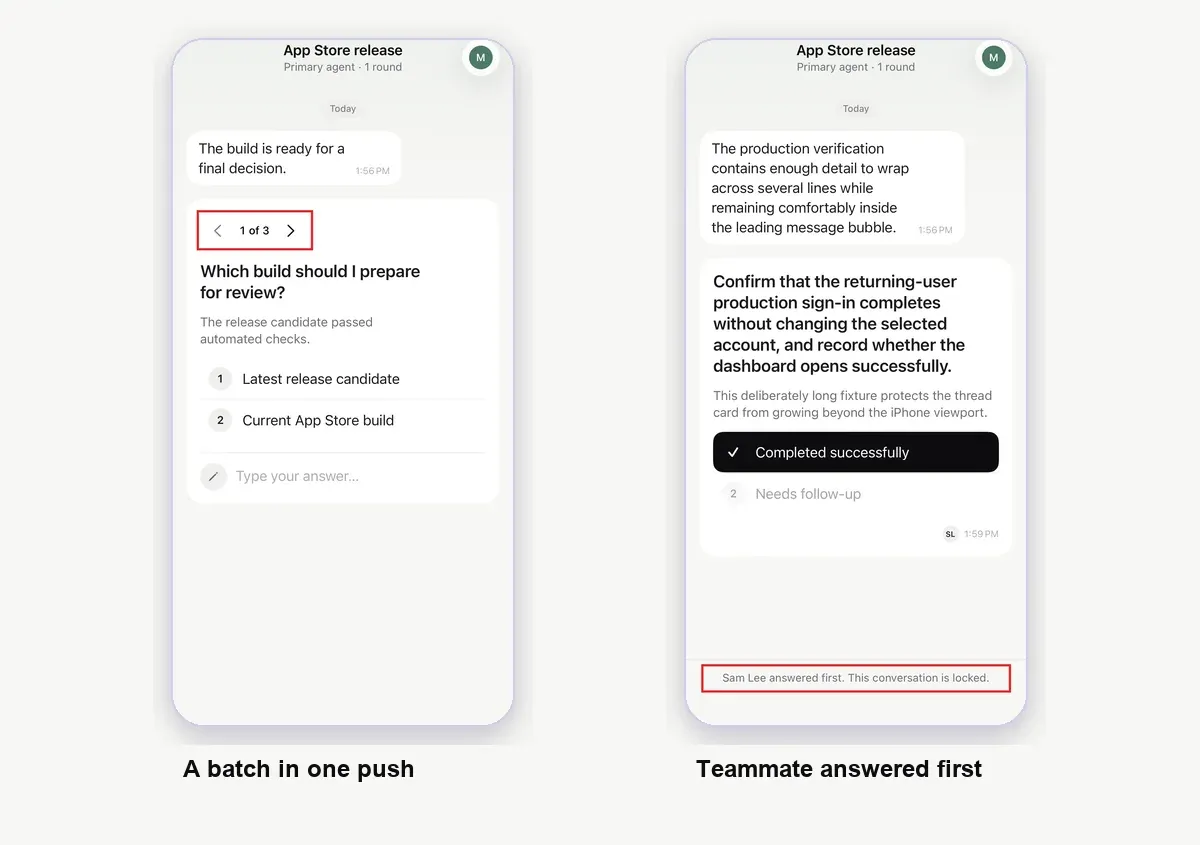
A few details make the in-the-loop step cheaper:
- Batches: up to 10 questions in one push, so a pre-release checklist is one interruption.
- Structured answers: single-select, multi-select or free text, so the agent gets a clean choice.
- Teams: every member of a project gets the push, and the first answer wins.
- Context: the agent can attach a screenshot, a short video or a PDF to the question.
For a worked example, see approve deploys from your phone. To compare other channels, such as chat messages and custom approval screens, see ways to keep a human in the loop. More cases are in examples of when an agent should ask, and unattended runs in human-in-the-loop automation for unattended agents.
What should you watch for with either approach?
- Prompt fatigue: if the agent asks about everything, people approve without reading. Ask less, and ask better.
- Silent supervision: on the loop without alerts is out of the loop in practice.
- No record: keep the questions and answers, so you can see later why a step ran.
Quick answers
Human on the loop is one form of oversight: a person monitors and can intervene or stop the system. Human in the loop is a stricter form, where a person must act before a step runs.
The agent runs without a person deciding or monitoring during the run. It suits sandboxed, low-stakes work where mistakes are cheap.
Close to it. In auto mode a classifier model reviews actions instead of you, and you can still watch and interrupt. Manual mode is the human-in-the-loop setting.
Yes. Let the agent run routine steps on its own and make it ask a person before steps that are hard to undo, such as deploys and deletes.
Give your agent someone to ask
Free on the App Store and Google Play. Then add one MCP entry and let your agent ask.